
Intelligent Document Processing 4.7/5(124 reviews)Trusted by 10,000+ finance teams
Intelligent Document Processing Software for Financial Teams
DocuClipper is an IDP platform built specifically for financial documents. It ingests bank statements, invoices, receipts, checks, and tax forms, extracts every structured field with AI-powered OCR, validates the data, and routes it to your accounting system, automatically.
4.7/5(124 reviews)Trusted by 10,000+ finance teams14-day free trialNo credit card required
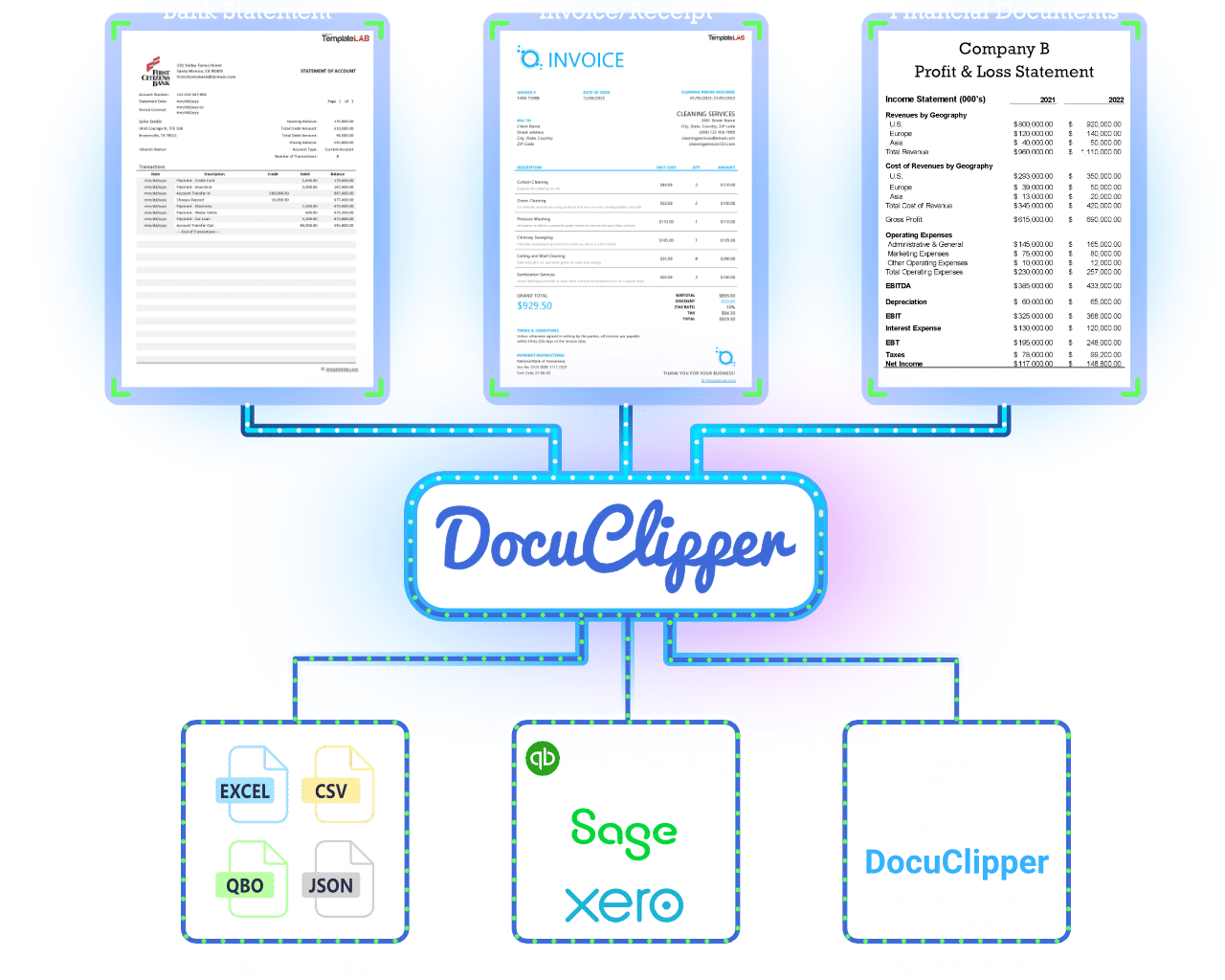
Trusted by 10,000+ Accounting, Lending, and Finance Professionals













What intelligent document processing does
- Ingests documents from email, upload, Google Drive, Dropbox, OneDrive, or API, any source.
- Reads bank statements, invoices, receipts, checks, W-2s, 1099s, and custom document types.
- Extracts every structured field, amounts, dates, vendors, line items, account numbers, without templates.
- Validates extracted data: totals against line items, balances against transactions, cross-field consistency.
- Routes processed data to QuickBooks, Xero, NetSuite, SAP, Excel, or any system via API and webhooks.
- Handles scanned, photographed, and digital documents, OCR works on any quality input.
How IDP works
Ingest, extract, validate, route, fully automated.
→
Ingest from any source
Email forwarding, file upload, Google Drive sync, Dropbox, OneDrive, or REST API. Bulk and real-time ingestion both supported.
→
Classify & extract
AI classifies each document type and extracts all structured fields, line items, totals, dates, parties, without per-document templates.
→
Validate & flag
Cross-validates extracted data internally (subtotals vs totals, opening vs closing balance) and flags exceptions for review.
Route to destination
Send clean structured data to QuickBooks, Xero, NetSuite, SAP, Excel, Google Sheets, or your own system via webhook or API.
Why DocuClipper IDP, built for finance, not generic documents
Most IDP platforms process any document type. DocuClipper goes deep on financial documents.
Every financial document type
Bank statements, invoices, receipts, checks, W-2s, 1099s, credit card statements, and custom document types, one platform.
No templates or training
AI-powered extraction works on any layout, new vendors, new banks, unseen formats, without per-document configuration.
Finance-grade validation
Built-in cross-checks: line items vs totals, opening vs closing balance, tax vs subtotal. Errors caught before they reach your books.
Approval workflows
Route documents through configurable approval chains before posting. Multi-step, rule-based, with full audit trails.
Accounting system integrations
Direct push to QuickBooks Online and Xero, bank-statement files formatted for NetSuite, Sage, and MYOB, plus Excel, CSV, and Google Sheets, or any system via API.
SOC 2, enterprise-grade security
SOC 2 Type II certified, encrypted in transit (TLS), role-based access, full processing audit logs. Built for finance teams handling sensitive documents.
Every financial document type, one platform
DocuClipper processes the full range of financial documents your team handles.
Bank statements
- ·Transactions (date, description, amount)
- ·Opening & closing balances
- ·Account metadata
Invoices & AP
- ·Vendor, invoice number, PO
- ·Line items with qty & price
- ·Subtotal, tax, total
Receipts
- ·Merchant, date, total
- ·Line items & tax
- ·Payment method
Check images
- ·Payee, amount, date
- ·MICR line (routing, account)
- ·Check number
Tax forms (W-2, 1099)
- ·Employer & employee details
- ·Income, withholding, boxes
- ·Tax year
Custom documents
- ·Any fields via AI prompts
- ·Tables and structured data
- ·Save a template, run on every doc
Who uses DocuClipper IDP
Accounting & bookkeeping firms
- Process client bank statements, invoices, and receipts from one platform.
- Export structured data directly into QuickBooks or Xero, no re-keying.
- Handle high document volumes across multiple clients without adding headcount.
AP & finance teams
- Automate the full AP cycle: OCR extraction, validation, two-way PO matching, approval routing, ERP posting.
- Reduce document processing cost by up to 80% with touchless capture.
- Close month-end faster with validated, structured document data.
Lenders & underwriters
- Extract bank statement transactions and financial metrics for income verification.
- Process high volumes of applicant documents quickly and accurately.
- Feed structured financial data into underwriting models via API.
What Customers Say
Real reviews from accountants, bookkeepers, and finance teams.
“DocuClipper has helped us eliminate several manual data entry processes, saving us a lot of time.”
KR
Kristin Mitchell
Accounting, United States
“It's a complete game-changer. Instead of spending hours combing through statements, we get the data we need almost instantly.”
MA
Matt
Lending, United Kingdom
“DocuClipper allowed us to enhance our advisory services, directly impacting our bottom line.”
SA
Sarah Winship
Accounting, United Kingdom
Ready to try it? Start your free 14-day trial, no credit card required.
Start free trialDocuClipper IDP capabilities
Document workflow automation
Automate full financial document workflows, ingest, extract, validate, route.
Learn moreBank statement OCR
Extract transactions and balances from any bank statement PDF.
Learn moreInvoice OCR
Extract vendor, line items, and totals from invoice PDFs.
Learn moreAI document parser
Custom field extraction via AI prompts. Save a template once, run it on every similar document.
Learn moreAutomations
Automate document ingestion and export with email, Drive, and API triggers.
Learn moreBank statement extraction software
Dedicated extraction platform for high-volume bank statement workflows.
Learn moreIntelligent Document Processing FAQs
Intelligent Document Processing (IDP) is a category of software that combines OCR, AI, and machine learning to automatically extract structured data from documents, without requiring manual templates for each document type. IDP goes beyond basic OCR by understanding document layouts, classifying document types, validating extracted data, and routing it to downstream systems.
Most IDP platforms are horizontal, they process any document type at the cost of financial-domain accuracy. DocuClipper is purpose-built for financial documents: bank statements, invoices, receipts, checks, and tax forms. This means deeper extraction (line items, running balances, MICR data), finance-specific validation (totals cross-checking, balance reconciliation), and direct QuickBooks Online and Xero integrations, plus CSV exports for NetSuite and Sage.
Bank statements (any bank, any format), brokerage statements (Schwab, Fidelity, Vanguard, and more), invoices and AP documents, receipts, check images, W-2 and 1099 tax forms, credit card statements, and custom document types via AI prompt-based extraction.
For supported document types (bank statements, invoices, receipts, checks, brokerage statements, W-2/1099) no templates or training are needed, new vendors, banks, and formats are handled automatically. For document types we don't have a dedicated extractor for (rent rolls, leases, custom forms) you create a template once with an AI prompt or by drawing fields, and we apply it to every similar document afterward.
Document ingestion: email forwarding, Google Drive, Dropbox, OneDrive, Box, and REST API. Output: QuickBooks (Online and Desktop), Xero, NetSuite, Sage, MYOB, Excel, CSV, Google Sheets, Amazon S3, and any system via webhook or API.
Yes. DocuClipper supports bulk uploads, automated email ingestion, cloud folder monitoring, and API-based submission for high-volume workflows. Enterprise plans support thousands of pages per month.
Extracted data is automatically cross-validated: invoice line items are summed and checked against the invoice total, bank statement transactions are verified against opening and closing balances, and tax figures are checked for consistency. Discrepancies are flagged for human review before export.