
Bank statement OCR software 4.7/5(91+ reviews)Trusted by 10,000+ finance teams
Bank Statement OCR Software
The most accurate bank statement OCR. 99.9% field-level accuracy across any bank, any format. Convert PDF bank statements to Excel, CSV, or QBO in seconds. No templates, no setup.
4.7/5(91+ reviews)Trusted by 10,000+ finance teams14-day free trialNo credit card required
4.7 / 5on G2 (91 reviews)
Last updated:
Trusted by finance teams worldwide
AccountantsLendersForensic analystsBookkeepers
What Finance Teams Say
Verified reviews from G2.
“I had a client that handed me over 2,000 pages of bank statements that needed to be caught up and reconciled. DocuClipper helped me get this project done in hours — not weeks.”
RI
Ricky C.
Administrative Pastor
“I had a large bookkeeping project and the client could only provide hard copy statements. I used DocuClipper to pull all of the data into Excel and then did a simple import into QBO. It saved me a significant amount of time in bookkeeping years of data.”
EW
Ewa O.
Owner
“I love that it takes seconds to upload bank and credit card statements for bookkeeping catch-up work that QBO does not sync for months behind the current period. Fantastic product!”
NA
Natasha B.
CPA
99.9%
Field-level accuracy
<10s
Seconds per statement
10k+
Finance teams using DocuClipper
Any
Bank, format, or country
Why Not Just Use Excel, OCR, or AI Tools?
DocuClipper vs spreadsheets, generic OCR, and general-purpose AI. Built for bank-statement extraction, validation, and accounting-ready export.
| Feature | DocuClipper | Manual / OCR / AI |
|---|---|---|
| Extracts text from PDF | Yes | Yes |
| Structures into rows/columns | Yes | No |
| Handles all bank formats | Yes | No |
| Exports accounting-ready files | Yes | No |
| Reconciliation & validation | Yes | No |
| Financial analysis built in | Yes | No |
What gets extracted from each statement
DocuClipper converts messy PDFs into structured, ready-to-use data, whether scanned or digital.
Transactions
Date, description, debit/credit amounts. Every row extracted.
Running Balances
Period-end and running balances reconciled against statement totals.
Account Summaries
Account number, period, opening/closing balance, institution.
Deposits & Withdrawals
Net flows categorized and totaled for quick cash flow review.
Export to Excel, CSV, QuickBooks, Xero, QIF, or API
Bank Statement to Excel
Clean .xlsx with date, description, debit/credit, and reconciled balances. Categorization included.
See how Excel export worksBank Statement to QuickBooks
QBO files for one-click import to QuickBooks Online. IIF for Desktop. Categories preserved.
Bank statement to QuickBooksBank Statement to Xero
OFX or CSV that drops straight into Xero's standard Import a Statement workflow.
Bank statement to XeroBank Statement to CSV
Universal CSV (UTF-8, ISO dates) compatible with Sage, NetSuite, Google Sheets, or any custom pipeline.
See how CSV export worksBank Statement to QIF
QIF files for Quicken, MYOB, and legacy accounting systems that don't accept QBO/OFX.
Bank statement to QIFExport via API
Structured JSON delivered to your systems via webhook or REST. For automations and custom tooling.
Talk to us about API accessHow the OCR pipeline works
1
Upload
Drop any PDF bank statement, scanned or digital, single or multi-page.
2
Extract
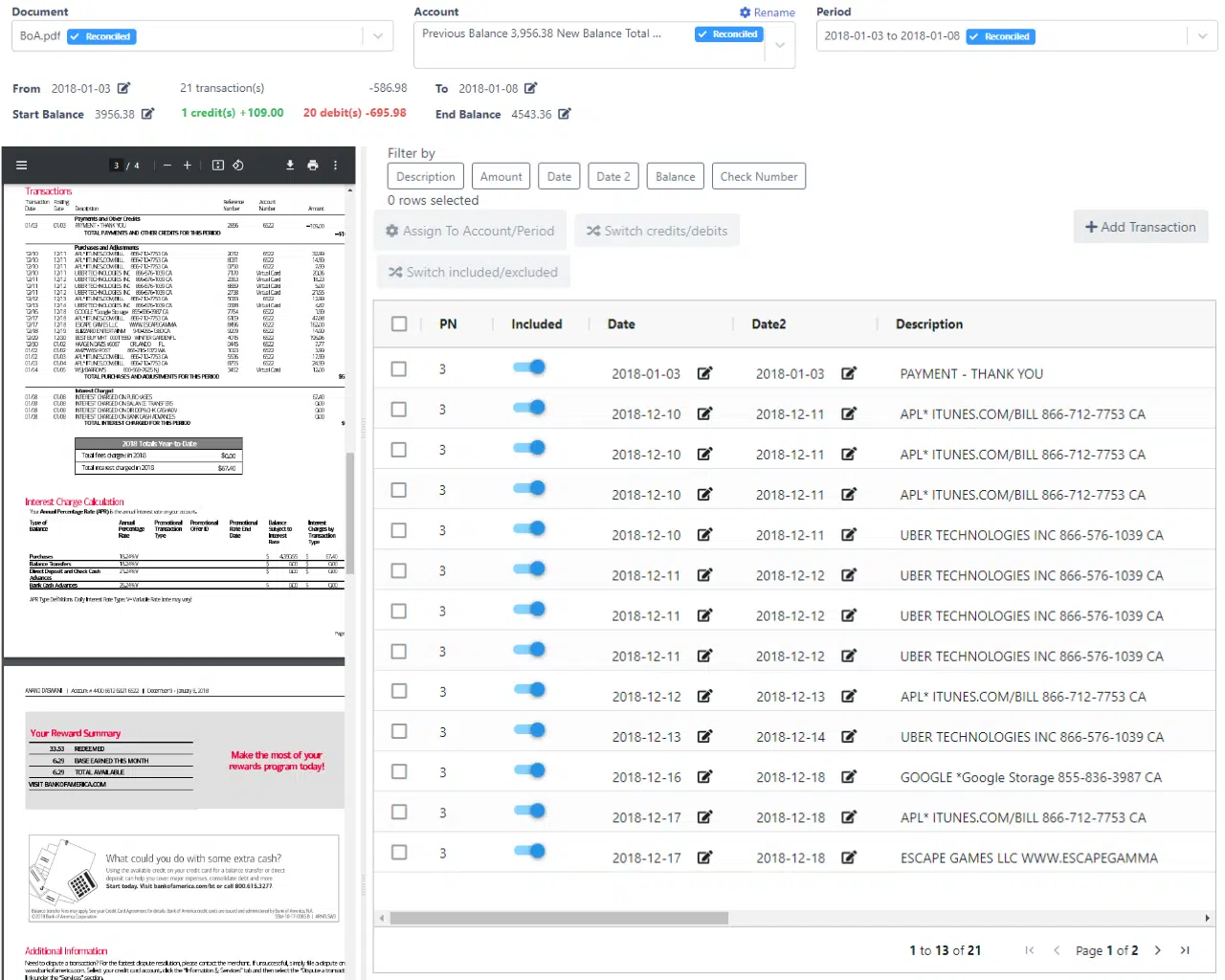
AI extracts transactions, balances, and financial data automatically.
3
Review
Validate results in-app. Reconciliation checks flag discrepancies.
4
Export
Download to Excel, import to QuickBooks / Xero, or push via API.
Built for accountants, lenders, and forensic analysts
Accountants & Bookkeepers
- Eliminate manual data entry
- Reconcile faster at month end
- Standardize messy client documents
Lenders & Underwriters
- Analyze borrower cash flow instantly
- Detect income inconsistencies
- Process loan applications faster
Forensic Accountants
- Trace transactions across accounts
- Reconstruct financial activity
- Identify anomalies and edited PDFs
Platform-specific import guides (QuickBooks, Xero, Sage, NetSuite)
Bank statements → QuickBooks
QBO/QFX or CSV import for QuickBooks Online and Desktop.
Bank statements → Xero
OFX or CSV via Xero's standard Import a Statement workflow.
Bank statements → Sage
Bank-feed-compatible CSV for Sage 50, Sage 200, Business Cloud, or Intacct.
Bank statements → NetSuite
Subsidiary-aware CSV for the NetSuite Import Assistant.
More than just conversion (categorization, fraud detection, batch)
Transaction Categorization
Apply rules to classify transactions by vendor, type, or custom category.
Cash Flow Reconstruction
Build a complete picture of inflows and outflows across any period.
Fraud Detection
Flag edited PDFs, duplicate transactions, and suspicious anomalies.
Multi-Account Aggregation
Combine multiple statements across banks into a single unified view.
Automated Workflows
Schedule recurring conversions and route outputs via webhooks or API.
Batch Processing
Upload hundreds of statements at once and process them all in a single run.
Check Image Auto-Fill
Reads check images on back pages and fills payee/memo on matching Check #N rows.
Handles complex statements (scans, multi-page, any layout)
Scanned PDFs
OCR handles image-based PDFs from any scanner or mobile app.
Multi-Page Statements
Processes full statement runs, from 1 page to 200.
Any Bank Format
Works across thousands of layouts from banks worldwide.
Inconsistent Layouts
AI adapts automatically. No templates to build or maintain.
Frequently Asked Questions
DocuClipper accepts PDF bank statements, both scanned (image-based) and digitally generated files. It handles single-page and multi-page documents from any bank or credit union. You can export results to Excel (.xlsx), CSV, QuickBooks (QBO), Xero, or JSON via API.
Yes. DocuClipper supports thousands of bank statement formats from institutions worldwide, including major banks, regional banks, credit unions, and international institutions. No setup or template configuration is required; the AI adapts to each layout automatically.
DocuClipper delivers 99.9% field-level accuracy across any bank, any format. Verified by 91 G2 reviews (4.7/5). Every conversion includes built-in reconciliation that cross-checks extracted totals against the statement's reported balances, so you can catch discrepancies before exporting.
No. Unlike legacy OCR tools that require you to map fields for each bank format, DocuClipper's AI identifies and extracts transactions, balances, and account details automatically, regardless of layout. It works out of the box with no configuration.
Yes. DocuClipper supports batch processing: upload dozens or hundreds of statements in one go and download all results at once.
After extracting transactions, DocuClipper adds them up and compares the running total against the opening and closing balances printed on the statement. If the math doesn't match, the discrepancy is flagged before you export.
Yes. DocuClipper is SOC 2 Type II compliant, encrypts data in transit (TLS 1.2+) and at rest (AES-256), and runs on isolated AWS infrastructure. Documents are processed in your account only and you can delete them at any time.