
Bank Statement to QIF 4.7/5(124 reviews)Trusted by 10,000+ finance teams
Bank Statement PDF to QIF Converter
Convert any bank statement PDF to a QIF file for Quicken, Microsoft Money, and other QIF-compatible software, in seconds. Works with any bank layout, digital or scanned. No templates required.
4.7/5(124 reviews)Trusted by 10,000+ finance teams14-day free trialNo credit card required
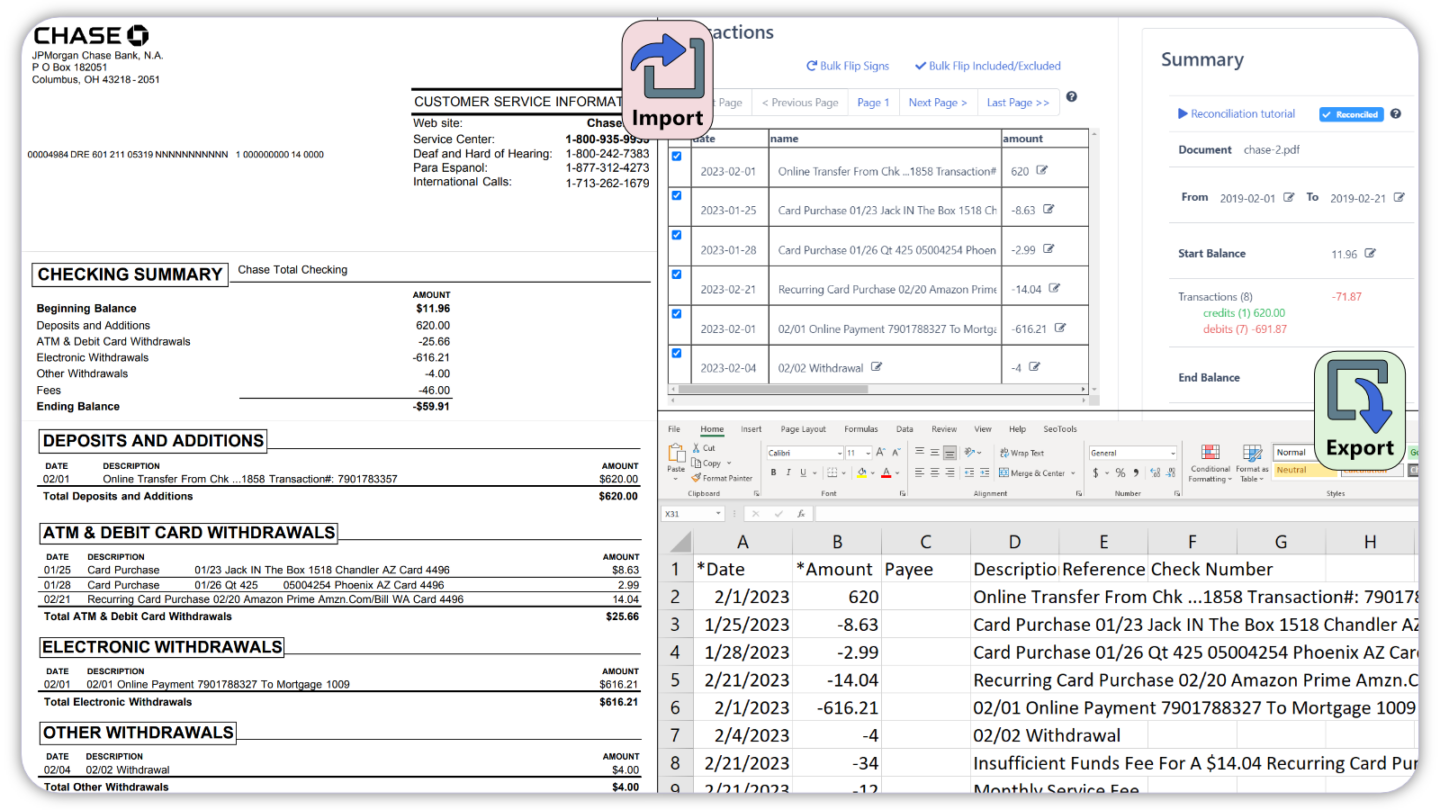
Trusted by 10,000+ Accounting, Lending, and Finance Professionals













What the QIF converter does
- Reads PDF bank statements from any bank, Chase, Bank of America, Wells Fargo, and thousands more.
- Extracts every transaction: date, payee/description, amount, and memo.
- Outputs a QIF (Quicken Interchange Format) file ready for direct import into Quicken or Microsoft Money.
- Handles scanned PDFs, digital PDFs, and multi-page statements.
- Works without per-bank templates, standardized QIF output from any format.
- Also exports to OFX, QBO, CSV, and Excel if you need alternative formats.
How bank statement to QIF conversion works
Three steps, from PDF to Quicken-ready QIF file.
→
Upload your bank statement
Drag and drop a PDF bank statement, scanned or digital. Bulk uploads supported.
→
Extract transactions
OCR and layout recognition read every transaction, date, payee, amount, memo, from any bank format automatically.
Download QIF & import
Download the QIF file and import it into Quicken, Microsoft Money, or any QIF-compatible software.
Why DocuClipper for bank statement to QIF
Accurate QIF output from any bank, no manual reformatting.
Converts in seconds
Upload a bank statement PDF and get a valid QIF file in seconds, no manual data entry or reformatting.
Any bank, no templates
Standardized QIF output from thousands of bank statement layouts without per-bank configuration.
Scanned PDF support
Full OCR for scanned, photographed, or image-based bank statements, not just native digital PDFs.
Valid QIF format
Output conforms to the Quicken Interchange Format specification, imports cleanly into Quicken and Microsoft Money.
Bulk conversion
Convert multiple bank statements from multiple banks in one batch. Download all QIF files simultaneously.
Multiple export formats
Also export to OFX, QBO (QuickBooks), CSV, Excel, or Google Sheets, all from the same upload.
Who converts bank statements to QIF
Quicken users
- Import transactions from banks without a direct Quicken data feed.
- Convert historical PDF statements into Quicken for back-period records.
- Process statements from multiple accounts in a single batch.
Microsoft Money & legacy software users
- Import bank data into Microsoft Money or other QIF-compatible software.
- Convert archived PDF statements from any time period.
- Standardize transaction data across multiple bank formats.
Accountants & bookkeepers
- Convert client bank statements to QIF for import into Quicken-based workflows.
- Process statements from banks that stopped offering direct Quicken feeds.
- Handle bulk client statement conversion without manual data entry.
What Customers Say
Real reviews from accountants, bookkeepers, and finance teams.
“DocuClipper has helped us eliminate several manual data entry processes, saving us a lot of time.”
KR
Kristin Mitchell
Accounting, United States
“It's a complete game-changer. Instead of spending hours combing through statements, we get the data we need almost instantly.”
MA
Matt
Lending, United Kingdom
“DocuClipper allowed us to enhance our advisory services, directly impacting our bottom line.”
SA
Sarah Winship
Accounting, United Kingdom
Ready to try it? Start your free 14-day trial, no credit card required.
Start free trialRelated bank statement conversion tools
Bank statement to Quicken
Full guide to importing bank statements into Quicken.
Learn morePDF to OFX and QFX
Convert bank statement PDFs to OFX, or QFX (Web Connect) for Quicken.
Learn moreBank statement to QBO
Convert bank statement PDFs to QBO for QuickBooks import.
Learn moreBank statement to Excel
Convert bank statement PDFs to Excel spreadsheets.
Learn moreBank statement to CSV
Extract bank transactions into clean CSV format.
Learn moreBank statement converter
All bank statement conversion formats in one place.
Learn moreBank Statement to QIF FAQs
A QIF (Quicken Interchange Format) file is a standard format for importing financial transaction data into Quicken, Microsoft Money, and other personal finance and accounting applications. It contains transaction dates, payees, amounts, and memos in a text-based format these applications can read directly.
Upload your bank statement PDF to DocuClipper. The OCR engine extracts every transaction and formats it as a QIF file. Download the file and import it into Quicken using File > Import > Bank or Brokerage File, or the equivalent import function in your QIF-compatible software.
Yes. DocuClipper uses OCR to extract transactions from scanned PDFs, images (JPG, PNG, TIFF), and photographed paper statements, not just native digital PDFs.
DocuClipper supports thousands of bank statement formats without per-bank templates, including Chase, Bank of America, Wells Fargo, Citibank, TD Bank, US Bank, Capital One, and most regional and international banks.
QIF (Quicken Interchange Format) is an older format supported by Quicken, Microsoft Money, and legacy software. OFX (Open Financial Exchange) is a newer standard supported by Quicken, Sage, MYOB, and QuickBooks. Both are widely supported. DocuClipper exports both formats from the same bank statement upload.
Yes. Bulk uploads let you convert multiple bank statement PDFs in a single session and download individual QIF files for each statement.
DocuClipper also exports to OFX (for Quicken, Sage, MYOB), QBO (for QuickBooks), Excel (.xlsx), CSV, and Google Sheets, all from the same uploaded bank statement.