
Receipts, invoices & bank statements 4.7/5(124 reviews)Trusted by 10,000+ finance teams
Expense Management Software for Accountants and Finance Teams
Automate expense tracking, categorization, and reporting. DocuClipper turns receipts, invoices, and bank statements into clean, structured expense data, ready for accounting and analysis.
4.7/5(124 reviews)Trusted by 10,000+ finance teams14-day free trialNo credit card required
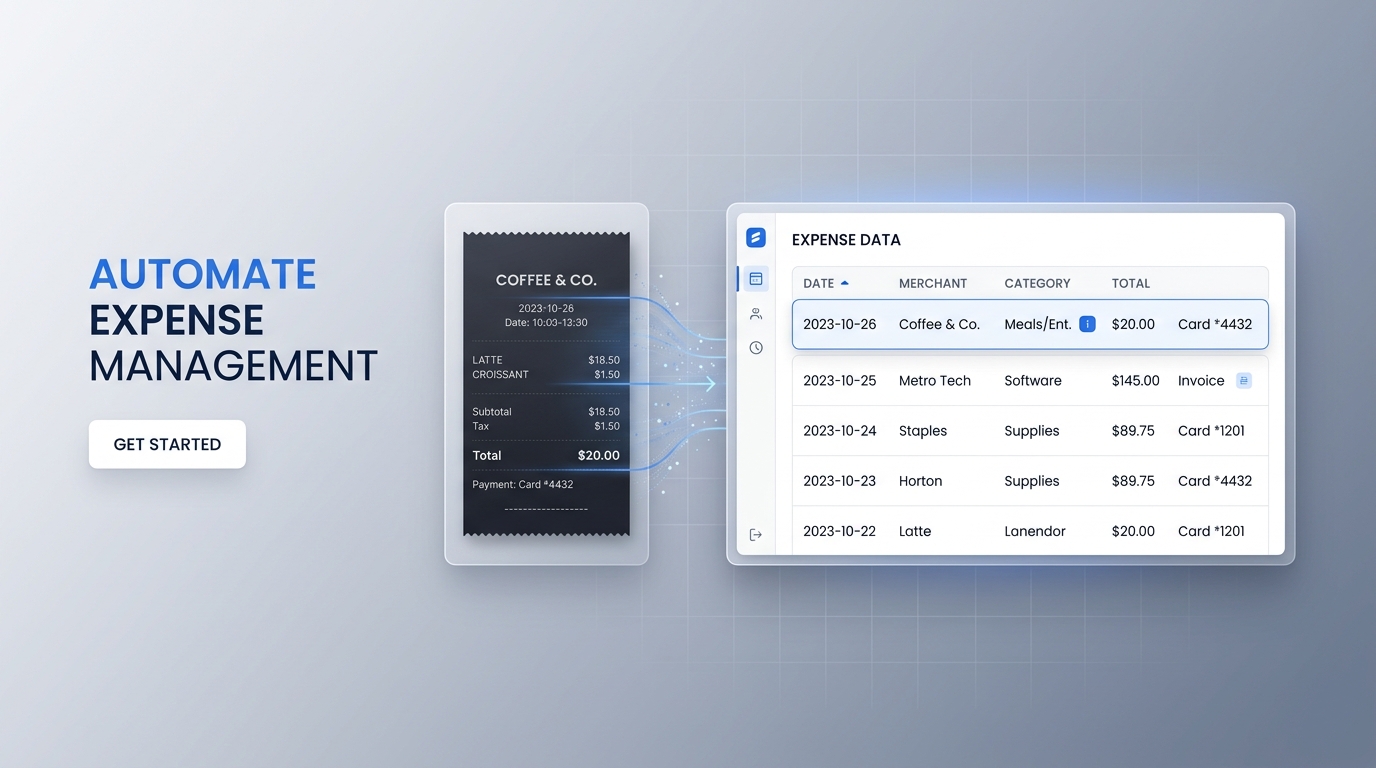
No manual entry. No messy spreadsheets.
Upload documents → extract and categorize → export to your accounting stack.
What is expense management?
Expense management is the process of capturing spend, organizing it, and getting it into your books and reports, without friction.
That usually includes
- Capturing expenses
- Organizing and categorizing transactions
- Tracking spending
- Exporting data to accounting systems
DocuClipper automates the workflow from document upload through categorization to exports, so accountants, bookkeepers, and finance teams spend less time on data entry.
Key features
One platform for document capture, categorization, and accounting-ready exports.
Receipt & invoice OCR
Extract data from receipts and invoices automatically. Capture vendor, date, amount, taxes, and line items. Works with PDFs, images, and scans.
Automatic expense categorization
Categorize transactions instantly, create custom rules for consistent classification, and spot recurring expenses.
Bank statement integration
Import transactions from bank statements and combine document-based and transaction-based data for complete expense tracking.
Line item extraction
Capture detailed expense breakdowns, track individual items on invoices and receipts, and improve reporting accuracy.
Export to accounting software
QuickBooks, Xero, and more, plus Excel, CSV, and structured formats. Clean output without manual cleanup.
How it works
From messy PDFs and photos to structured expenses in your accounting system.
→
1
Upload receipts, invoices, or bank statements
PDFs, scans, or images, single files or batches.
→
2
DocuClipper extracts expense data
Vendors, dates, amounts, taxes, and line items normalized into rows.
→
3
Transactions categorize automatically
Apply rules so categories stay consistent across clients or entities.
→
4
Review and adjust if needed
Spot-check exceptions before you close the period or reimburse.
5
Export to your accounting system
QuickBooks, Xero, Excel, CSV, or the next step in your workflow.
Use cases
Built for firms managing many clients and teams that need reliable spend visibility, without rebuilding spreadsheets every month.
Accounting firms & bookkeepers
- · Process client expenses faster
- · Reduce manual data entry
- · Standardize workflows across clients
Small businesses
- · Track expenses without spreadsheets
- · Stay organized for taxes
- · Monitor spending with structured data
Finance teams
- · Centralize expense data
- · Improve reporting and visibility
- · Automate repetitive workflows
Audits & compliance
- · Maintain clean, structured records
- · Validate expenses quickly
- · Reduce audit preparation time
Why DocuClipper for expense management?
Compared to manual entry and traditional point tools that do not span receipts, invoices, and statements.
| Feature | DocuClipper | Traditional tools |
|---|---|---|
| Data entry | Automatic | Manual |
| Categorization | AI-powered | Manual rules |
| Accuracy | High | Error-prone |
| Speed | Seconds | Hours |
| Scalability | High | Limited |
Related solutions
Go deeper on capture, categorization, or cash flow when you need a dedicated workflow.
Expense management software
DocuClipper is built for automated expense management from financial documents, receipts, invoices, and bank statements, so you can track spend end-to-end and export with confidence.
Common searches this page targets
- expense management software
- receipt and invoice tracking software
- automate expense reporting
- expense tracking for accountants
- business expense management tools
Push expenses into your accounting platform
Step-by-step guides for the four platforms most teams send categorized expenses to.
What Customers Say
Real reviews from accountants, bookkeepers, and finance teams.
“DocuClipper has helped us eliminate several manual data entry processes, saving us a lot of time.”
KR
Kristin Mitchell
Accounting, United States
“It's a complete game-changer. Instead of spending hours combing through statements, we get the data we need almost instantly.”
MA
Matt
Lending, United Kingdom
“DocuClipper allowed us to enhance our advisory services, directly impacting our bottom line.”
SA
Sarah Winship
Accounting, United Kingdom
Automate expense data capture from receipts and invoices. Start your free 14-day trial.
Start free trialFAQs
Yes. DocuClipper supports both and extracts detailed data from each, vendor name, amount, tax, date, and line items where present. You can process them in the same batch and get a combined expense spreadsheet.
Yes. Export structured expense data directly into QuickBooks Online or Desktop, or push to Xero as bills or expenses. Receipts and invoices export in formats each platform accepts without reformatting.
Yes. Set up AI-powered categorization rules that label transactions by vendor type, project code, or chart-of-accounts category. Rules apply consistently across all future uploads so you do not have to recode the same vendors repeatedly.
Built-in OCR reads photos taken with a phone, scanned receipts, and low-quality images. The system extracts merchant name, amount, tax, and date from each image. Accuracy is highest on clear photos; blurry or torn receipts may need spot review before export.
Yes. Upload a ZIP file of receipt images or a multi-page PDF and DocuClipper extracts each one in a single pass. The output is a consolidated spreadsheet with one row per receipt, ready for expense coding or QuickBooks import.
Yes. Many accounting professionals and bookkeepers use DocuClipper to streamline client expense capture, coding, and exports. Multi-client processing lets you upload receipts and invoices from different clients in separate sessions and keep outputs organized by client.
Related expense & AP tools
Adjacent workflows for receipts, invoices, and card-based expense automation.
Expensify alternative
Side-by-side DocuClipper vs. Expensify for finance teams.
Receipt scanning software
Scan receipts in bulk and extract structured expense data.
Receipt data extraction
Line-item extraction from receipts for expense workflows.
Credit card statement to Excel
Export card transactions for expense reporting and review.
Invoice automation software
Automate vendor invoices that aren't captured via receipt workflows.
Transaction categorization
Categorize receipts and card transactions into GL or expense types.