

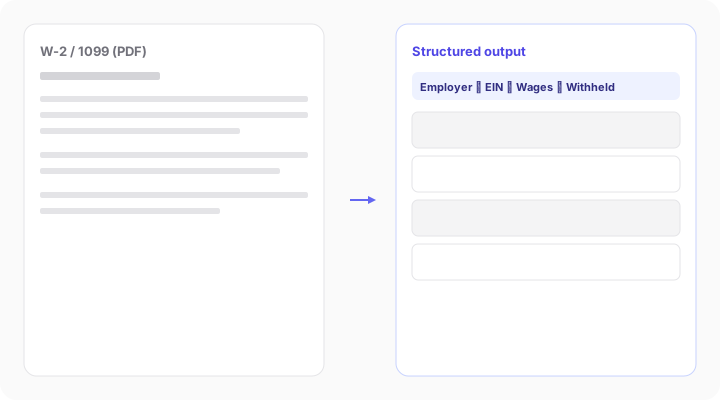
Stop manually entering W-2 data. Extract wages, withholdings, and employer details in seconds.
Drag & Drop W-2 Forms Here
or
Browse FilesNeed to process many W-2s in one workflow? Sign up to DocuClipper
Trusted by teams handling high-volume tax workflows
Extract Key W-2 Fields Automatically
Pull structured data from every important W-2 box and export clean data instantly.
Employee name and SSN
Employer name and EIN
Wages, tips, and compensation (Box 1)
Federal income tax withheld (Box 2)
Social Security wages and tax (Boxes 3-4)
Medicare wages and tax (Boxes 5-6)
State wages and state tax (Boxes 15-17)
Built for Accountants, Lenders, and Payroll Teams
For Accountants & Tax Preparers
- - Eliminate manual entry during tax season
- - Process hundreds of W-2s quickly
- - Export directly to tax software or Excel
For Lenders & Underwriters
- - Verify borrower income
- - Extract consistent data across applicants
- - Combine with bank statement analysis
For Employers & Payroll Teams
- - Digitize historical W-2 records
- - Audit payroll data
- - Integrate into internal systems
Form-Aware Extraction, Not Generic OCR
Every W-2 carries the same OMB control number (1545-0008), but the real work is getting each numbered box right. DocuClipper identifies the form, then extracts each box with a matcher built specifically for W-2 layouts, so Box 1 wages, Box 2 federal withholding, and Box 17 state tax land in the right columns every time.
Box-by-box field catalog
Wages (Box 1), federal withholding (Box 2), Social Security and Medicare (Boxes 3–6), state wages and state tax (Boxes 15–17) each mapped to dedicated matchers.
Two-pass OMB identification
We read the IRS control number plus the title line first, then fall back to OMB-only when the title OCR'd badly, so a W-2 never gets confused with a 1099, a 1098, or a paystub that happens to live in the same batch.
State-aware validation
For employees in FL, TX, NV, WA, SD, WY, AK, NH, or TN, DocuClipper skips state-wage/tax validation, no false 'missing field' flags on states that don't collect income tax.
Scanned, photographed, or digital
Same extraction logic runs across PDF scans, phone photos, and digital W-2 copies, so messy inputs still produce clean spreadsheet output.
How W-2 Data Extraction Works
1
Upload W-2 documents (PDF, scan, or image)
2
DocuClipper extracts all relevant fields
3
Review and validate extracted data
4
Export to Excel, CSV, or integrate via API
Export Options
Excel (most common)CSVQuickBooks / XeroAPI / Webhooks
Why DocuClipper for W-2 OCR
Specialized extraction for tax forms with the speed and reliability finance teams need.
High Accuracy on Tax Forms
Optimized specifically for structured documents like W-2s to capture the right values from each box.
Works on Any Format
Handles scanned documents, photos, low-quality PDFs, and digital tax forms with consistent output.
Built for Scale
Process thousands of W-2s quickly with repeatable extraction quality across large document sets.
Beyond Extraction
Combine W-2 data with bank statement analysis, fraud detection, and cash flow reconstruction.
99.9%
Extraction accuracy
80%
Less manual work
1000s
W-2s processed at scale
Convert W-2 Forms to Excel Automatically
Instead of manually typing data from W-2 forms, DocuClipper converts W-2s into structured Excel files instantly. This saves hours during tax season and reduces human error.
W-2 OCR That Actually Works
Unlike generic OCR tools, DocuClipper is trained on financial documents and tax forms. It understands W-2 layouts and accurately extracts values from each box.
Automate W-2 Processing Workflows
Use DocuClipper to automate your document workflows:
- Bulk upload W-2s
- Extract and validate data
- Send to accounting or underwriting systems
What Customers Say
Real reviews from accountants, bookkeepers, and finance teams.
“DocuClipper has helped us eliminate several manual data entry processes, saving us a lot of time.”
KR
Kristin Mitchell
Accounting, United States
“It's a complete game-changer. Instead of spending hours combing through statements, we get the data we need almost instantly.”
MA
Matt
Lending, United Kingdom
“DocuClipper allowed us to enhance our advisory services, directly impacting our bottom line.”
SA
Sarah Winship
Accounting, United Kingdom
Extract W-2 data automatically with 99.9% accuracy. Start your free 14-day trial.
Start free trialW-2 Data Extraction FAQs
W-2 data extraction is the process of automatically reading the structured fields on an IRS Form W-2 (wages, federal and state tax withheld, Social Security and Medicare wages, employer EIN, employee SSN) and converting them into machine-readable data such as Excel, CSV, or JSON. It replaces manual transcription, which is slow and error-prone during tax season.
A standard IRS Form W-2 has 20 numbered boxes plus lettered boxes for identifiers. The most-used numbered boxes are Box 1 (wages, tips, other compensation), Box 2 (federal income tax withheld), Boxes 3–4 (Social Security wages and tax), Boxes 5–6 (Medicare wages and tax), Boxes 15–17 (state wages, state ID, and state income tax), and Boxes 18–20 (local wages and tax). Lettered boxes a–f hold the employee SSN, employer EIN, employer and employee names and addresses, and a control number.
Box 1 (wages, tips, other compensation) is taxable income for federal income tax. Box 3 (Social Security wages) is income subject to Social Security tax, capped at the annual Social Security wage base. Box 3 is often higher than Box 1 because pre-tax 401(k) contributions reduce Box 1 but not Box 3. Both boxes are extracted independently by DocuClipper so you can reconcile them.
Yes. DocuClipper extracts W-2 data from scanned PDFs, photos taken with a phone, and faxed copies. The OCR engine handles rotation, low resolution, and partial scans, then routes the document through W-2-specific extraction logic identified by the form's OMB control number (1545-0008).
DocuClipper uses form-aware extraction (not generic OCR) for W-2s, including deterministic field corrections for common W-2 variants. Accuracy is high on the standard fields (Box 1, 2, 3, 4, 5, 6, 15, 16, 17). Edge cases such as multi-state W-2s and handwritten or stamped fields are flagged for human review rather than silently filled.
Yes. W-2s contain SSNs and wage data, so DocuClipper holds a SOC 2 Type II report, encrypts files in transit (TLS), and keeps files for as long as your paid subscription is active (30 days on a trial, 90 days after you cancel). Audit logs are included on Business and Enterprise plans, and SAML single sign-on (SSO) is available on Enterprise.
Tax preparers and accountants use it to skip manual entry during tax season, lenders and underwriters use it to verify borrower income on mortgage and consumer-loan applications, payroll teams use it for year-end reconciliation, and forensic accountants use it to compare reported wages against bank deposits.
Related tax & income extraction tools
Extract data from other tax forms and income documents with the same engine.
1099 data extraction
Extract 1099-NEC, 1099-MISC, and other 1099 forms into structured data.
Tax form data extraction
Full coverage of IRS tax forms, 1040, 1120, Schedule C, and more.
Income verification
Verify borrower income from W-2s, paystubs, and bank statements.
Receipt data extraction
Extract receipts into structured line-item data for expense workflows.
Financial document automation
Automate intake for any finance or tax document type.
Intelligent document processing
The full IDP platform behind DocuClipper extraction.