
AP Aging Report
See what you owe and how overdue it is. DocuClipper's accounts-payable aging report buckets your open bills by age (0-30, 31-60, and 60+ days) on the invoices Analytics tab.
Last updated
The AP aging report answers the core accounts-payable question: what do we owe, and how late is it? DocuClipper takes the open bills in an Invoices & Receipts project and buckets them by how overdue they are, so you can see how much of your payables balance is current versus past due.
Where to find it
Open your Invoices & Receipts project and switch to the Analytics tab (alongside Invoices and Documents). The Aging Report card sits there, next to the invoice status breakdown.
The Analytics tab is available to contract admins. If the tab is greyed out, ask an admin on your account to open the report or to grant you admin access.
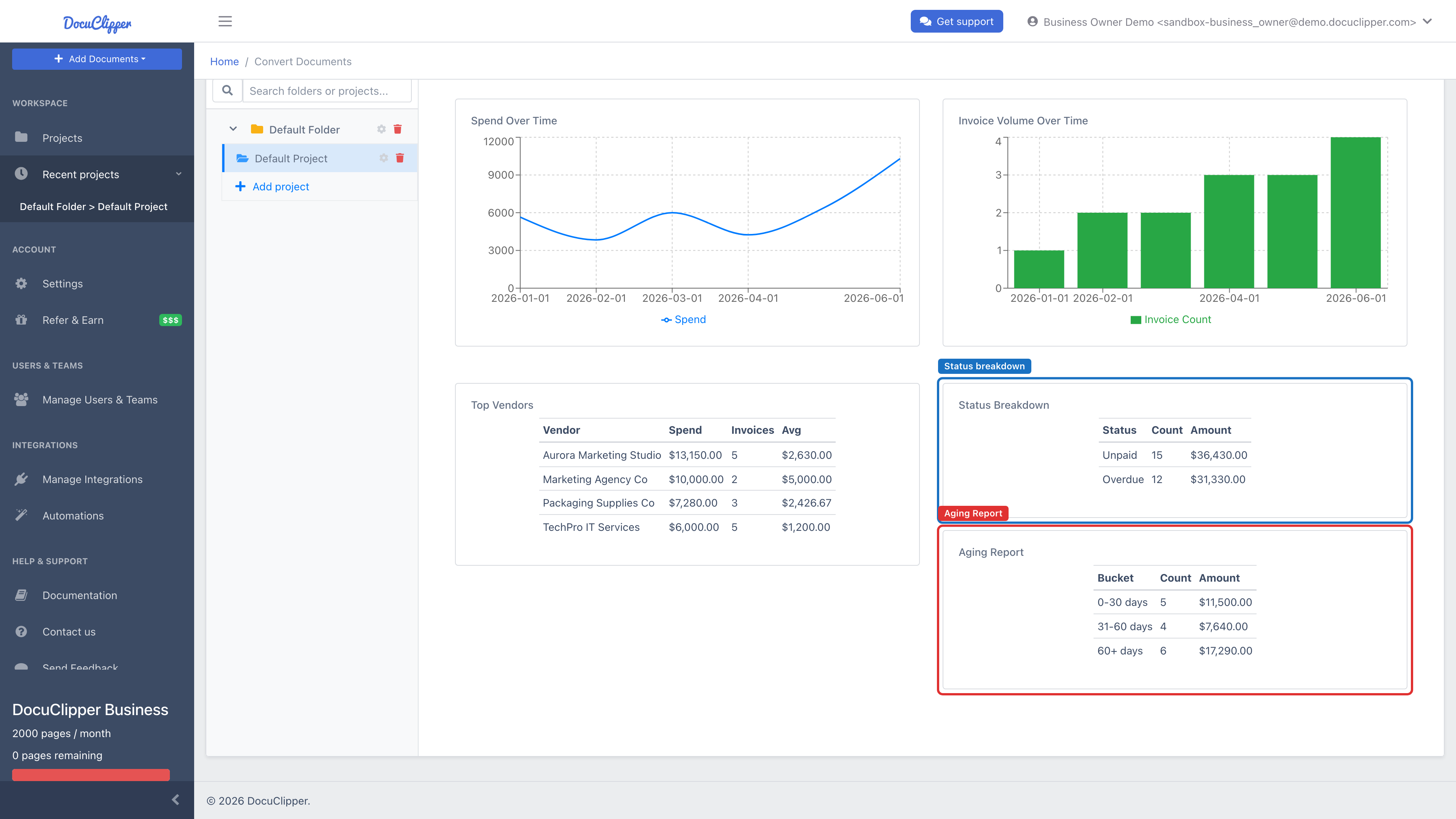
What it shows
Open bills are grouped into three aging buckets based on their due date relative to today:
| Bucket | Meaning |
|---|---|
| 0–30 days | Due now or up to 30 days overdue. |
| 31–60 days | 31 to 60 days overdue. |
| 60+ days | More than 60 days overdue. |
Each bucket shows the number of bills and the total amount owed. Amounts are based on each bill's remaining balance due, falling back to the full invoice total when no balance has been recorded. The status breakdown above the aging table also surfaces an Overdue total, which you'll see mirrored on the invoice list's Overdue KPI card.
Which bills are included
The report counts only genuine open payables:
- Document type is a payable / bill / expense (sales invoices are excluded).
- The bill has a due date (without one, an invoice can't be aged).
- It still has a balance owed.
- It hasn't been rejected in approval or deleted.
A bill drops out of aging automatically once its remaining balance reaches zero — for example after paid-status sync from QuickBooks or Xero. See paid-status sync in The AP queue.