
Financial discovery
How to organize bank statements produced in discovery
A step-by-step method for family-law attorneys, paralegals and forensic accountants handling a financial production: log it, build an account-by-month inventory, find the gaps and the unproduced accounts, turn the statements into one tied-out transaction table, and send the deficiency letter. Works in Excel; DocuClipper does the inventory and conversion.
To organize bank statements produced in discovery, build an inventory before anything else: one row per account, one column per month, so you can see which statements were produced and which are missing. Keep every produced file as received, under its original name and Bates range. Then convert the statements into one transaction table with the account, statement period and source file on every row, check that each statement ties to its printed balances, and turn the gaps into a deficiency letter: the missing months, and every account the statements mention that nobody produced.
A production usually arrives as a mix: monthly PDFs from three banks, a scanned stack of a credit union's statements, a CSV someone exported, duplicate copies, and a few months missing. This guide is the order to work it in. Each step says where DocuClipper does the work and what it does not do.
While you are here
Extract every transaction from any bank PDF
Upload a statement from any bank and DocuClipper returns a clean table with dates, amounts, descriptions, and running balance intact. No reformatting before you can reconcile or import.
What should a financial production include?
The request sets the scope, but in a divorce the usual list is every account either party held, alone or jointly, for the discovery period:
- Checking, savings and money market statements
- Credit card statements
- Brokerage, retirement and crypto exchange statements
- Business bank and card statements, for any business either party owns
- Loan and line-of-credit statements
- Check images and wire confirmations for large items
Under the Federal Rules of Civil Procedure (Rule 34) and most state equivalents, documents are produced as they are kept in the usual course of business or organized by category, and electronically stored information in a reasonably usable form. A bank-issued PDF is far easier to work with than a scan of a printout, so ask for native statements in the request.
Step-by-step: organizing a bank statement production
- Log the production. Date received, producing party, Bates range, file names, and what the cover letter says it contains. Keep the original files unchanged and work on copies.
- Build an account-by-month inventory. One row per account (institution and last four digits), one column per month of the discovery period. Mark each month you have.
- Find the gaps. Every empty cell inside the period is a missing statement. Note the months where something important happened (a home sale, a large transfer, the separation).
- Find the accounts nobody produced. Read the transaction descriptions for other account numbers (
TRANSFER TO ACCOUNT *4421,ONLINE TRANSFER TO CHK ...8833) and institution names (a brokerage, a crypto exchange). Each one that has no statement in the production goes on the list. - Convert the statements into one table. Date, description, amount, running balance, account, institution, statement period and source file on every row. One consistent sign convention for money in and money out.
- Tie out every statement. Opening balance plus deposits minus withdrawals must equal the closing balance, and each closing balance must match the next statement's opening balance. A statement that does not tie out usually has a missing page or a misread row.
- Remove duplicates. Productions often include the same statement twice, or a corrected statement that overlaps the original. Keep one copy of each period.
- Match transfers between produced accounts. Pair each transfer out with the deposit it became, so later income and spending figures do not double-count.
- Send the deficiency letter. Name the missing months by account, and name the referenced accounts nobody produced. When the other side cannot or will not produce, subpoena the bank.
Where DocuClipper does each step
Create one project for the matter and upload the whole production: PDFs, scans and photos, from any bank. Duplicate files are flagged at upload before any pages are used.
| Step | DocuClipper |
|---|---|
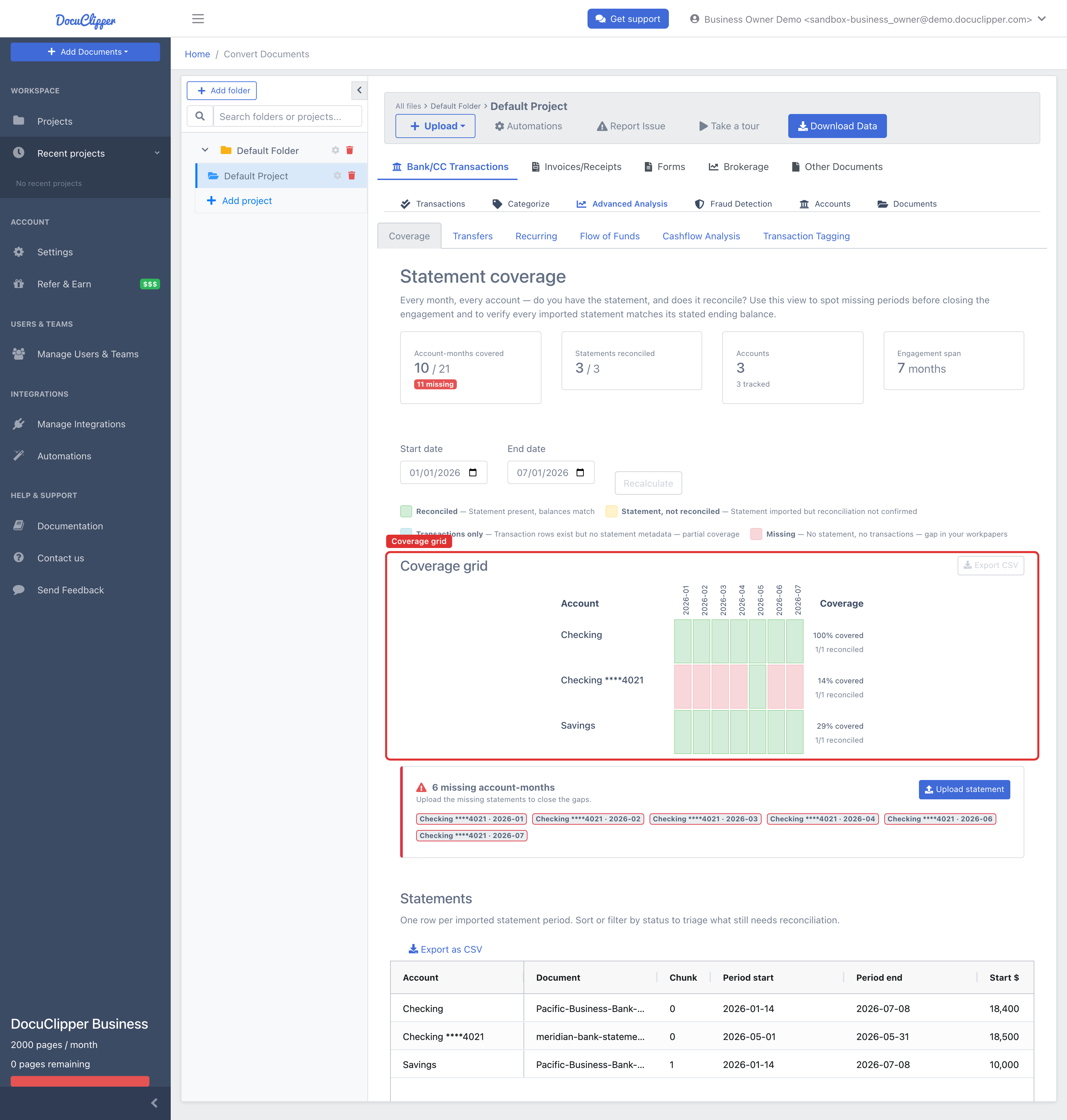
| Account-by-month inventory | Coverage grid: one row per account, one column per month, each cell marked reconciled, not reconciled, transactions only, or missing |
| Gaps by name | Export CSV from Coverage, with a Missing Periods column that spells out each gap (Feb 2026, Apr 2026 - Jun 2026) |
| Accounts nobody produced | Referenced, not produced rows at the bottom of the grid, with every transaction that names each account |
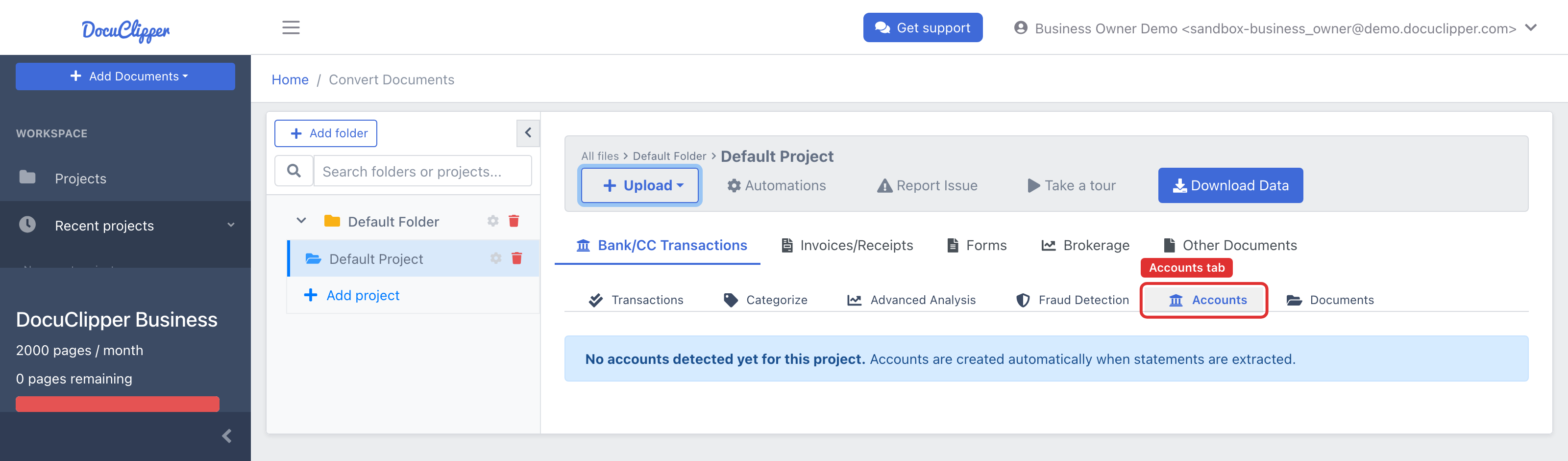
| One table | Every statement converted into transactions; the Accounts tab collapses many statements for one account into one account row you can label by holder |
| Tie-out | Every statement checked against its printed opening and closing balances, shown per statement in the Statements table |
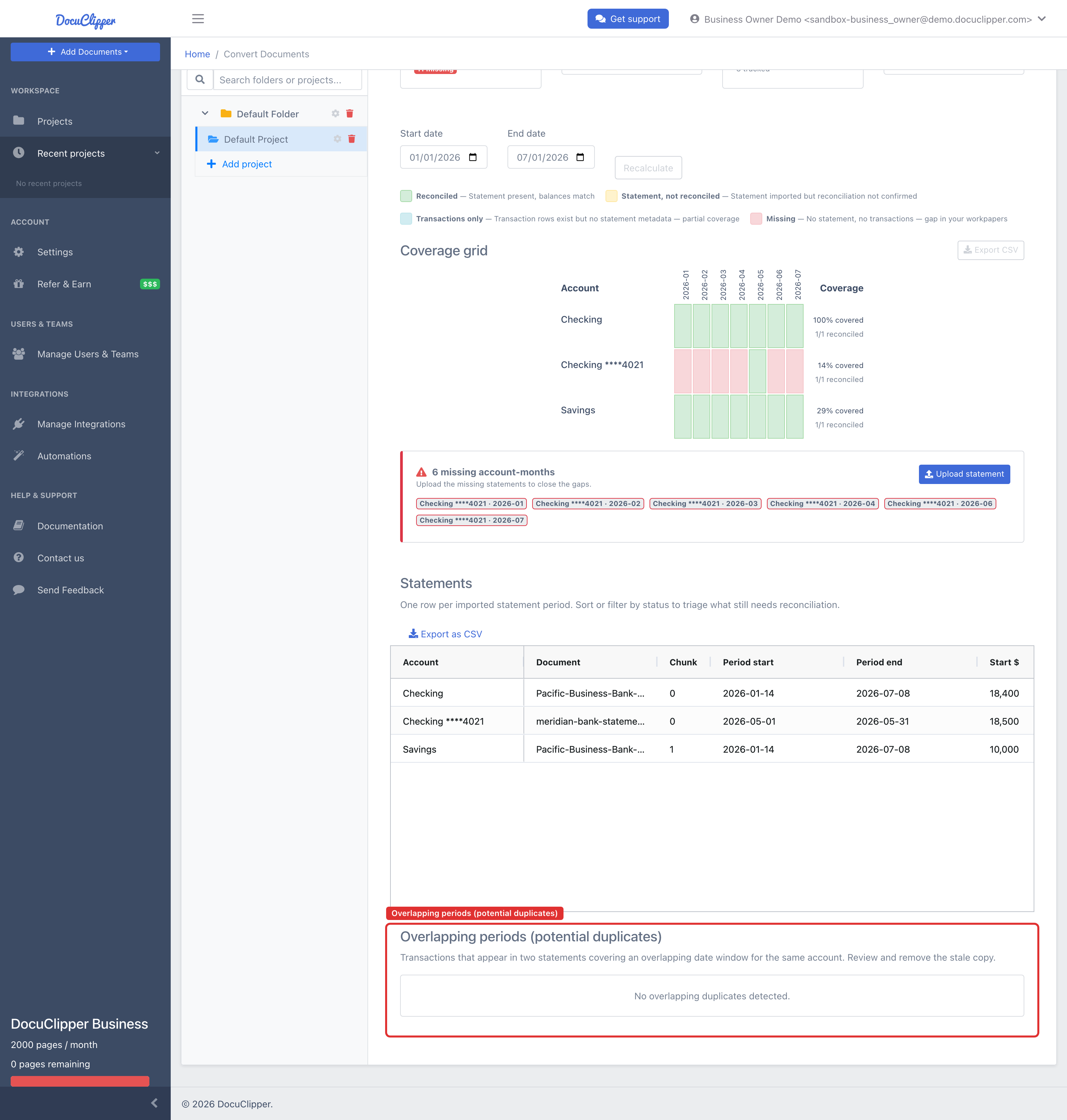
| Duplicates | Identical files flagged at upload; the Overlapping periods table flags transactions that appear in two statements for the same account and window |
| Transfers | Transfers pairs a withdrawal with the matching deposit in another produced account |
| Export | Excel and CSV; the Flow of Funds export adds holder and transfer-match columns (Business and Enterprise) |
The Coverage grid is the inventory. In this example one checking account has a single month out of seven, and the six missing account-months are listed underneath, ready for the deficiency letter:
The Overlapping periods table catches a statement produced twice:
Each real account appears once on the Accounts tab, however many statements it came from. Label each one with its holder (Husband, Wife, Smith LLC) and those labels become filters in Flow of Funds and columns in its export. See Multi-Account Forensic Tracing.
Put it into practice
Manual copy-paste is where errors begin
Split rows, drifting balances, missed transactions: they all trace back to re-keying. DocuClipper preserves the bank's layout so debits, credits, and totals tie out the first time.
Can I do this without special software?
Yes. The inventory is a spreadsheet grid you fill in by hand from the file names and statement headers. For the transactions, Excel's Get Data > From PDF (Power Query), Adobe Acrobat's export, ABBYY FineReader or Tabula will pull tables out of many digital PDFs; scans need OCR first. Expect each bank's layout to come out differently, and check every statement against its printed balances yourself, because none of those tools does it for you.
Limits
- DocuClipper does not apply Bates numbers and is not a document review platform: there is no privilege review, redaction or production workflow. Keep the Bates range in the file name so the Statements table shows which file each statement came from.
- It reads only what was produced. An account that is never mentioned in any produced statement cannot be found from the statements.
- A referenced account is a lead, not a conclusion. It can be closed, already disclosed elsewhere, or belong to a counterparty. The evidence list is there so you can judge it before you put it in a letter.
- Statement periods come from the statements. If a scanned header is misread, the coverage is wrong until you correct the period on that statement.
- Check your protective order. DocuClipper is a cloud service (SOC 2 Type II, encrypted in transit). If an order restricts where produced financial records may be stored or who may process them, confirm before uploading.
FAQ
How do you organize bank statements for discovery?
Build an account-by-month inventory first, so you can see what was produced and what is missing. Keep the produced files as received with their Bates ranges, convert the statements into one transaction table with the account, period and source file on every row, tie out each statement to its printed balances, remove duplicates, and send a deficiency letter for the gaps.
What is a deficiency letter for bank statements?
A letter to the other side listing what the production is missing: statement months by account, and accounts that the produced statements refer to but that were never produced. It asks for those documents by a deadline, and is usually the step before a motion to compel or a subpoena to the bank.
How do I convert bank statement PDFs from discovery into Excel?
Use a converter that handles every bank's layout and scanned pages, then check each statement against its printed opening and closing balances. DocuClipper converts PDFs and scans from any bank into one table, checks each statement's balances, and exports to Excel or CSV. Excel's own From PDF import works on some digital PDFs but not on scans.
How can I tell if bank statements are missing from a production?
Lay out every account against every month of the discovery period. An empty month between two statements for the same account is missing. Also read the descriptions: a transfer to an account number with no statements in the production means a whole account is missing.
Can I upload discovery documents to a cloud tool?
Check the protective order and any confidentiality agreement first. If they allow it, choose a tool with independent security attestation. DocuClipper is SOC 2 Type II certified and encrypts data in transit.
Related guides
Next step
Upload your first statement free
No credit card required. See extracted transactions in seconds, then export to Excel, CSV, or QBO when you're ready to scale.