
Manual Invoice Processing: Costs, Risks & How to Automate
Manual invoice processing is tedious, error-prone, and time-consuming. For accounting teams and business owners juggling multiple responsibilities, the
Manual invoice processing is tedious, error-prone, and time-consuming. For accounting teams and business owners juggling multiple responsibilities, the inefficiencies of paper-based or PDF-based workflows can lead to costly delays, compliance risks, and burnout.
Fortunately, with modern invoice processing automation tools like DocuClipper, businesses can streamline operations, reduce manual effort, and improve accuracy across the entire invoice approval workflow.
While you are here
Stop re-typing invoices into your accounting system
DocuClipper captures vendor name, invoice number, line items, totals, and tax from any PDF invoice (digital or scanned) and exports them ready for your ERP or approval workflow.
Why Manual Invoice Processing Holds You Back
Manual invoice processing often involves:
- Collecting invoices from email or mail
- Manually entering data into accounting software
- Verifying details against purchase orders
- Routing invoices for approval via email or printed copies
This outdated system leads to:
- Slow approval times
- Increased risk of human error
- Lost or misplaced invoices
- Limited scalability for growing teams
In a digital-first world, these bottlenecks impact your cash flow, reporting accuracy, and vendor relationships.
Automated invoice processing uses OCR (Optical Character Recognition) and machine learning to capture invoice data, validate it, and route it for approval—all without human intervention.
The strongest implementations pair capture with automated invoice approvals, PO and bank matching, and exports to your ledger. Explore DocuClipper’s invoice automation platform for that full end-to-end invoice processing path.
Benefits Include:
- Time savings by eliminating manual data entry
- Improved accuracy and reduced invoice errors
- Faster approvals through automated workflows
- Scalability for growing businesses
Whether you’re handling 10 or 10,000 invoices a month, automation removes friction and empowers your team to focus on strategic work.
How DocuClipper Transforms Invoice Workflows
DocuClipper is designed specifically to help small and mid-sized businesses and accounting teams extract invoice data automatically and integrate it into their accounting systems, including QuickBooks.
Key Features of DocuClipper:
Feature
Benefit
OCR for invoices
Accurately captures data from scanned or digital invoices
Invoice data capture
Extracts vendor names, dates, amounts, line items, and more
AP automation tools
Automates categorization, routing, and approvals
Seamless integrations
Syncs with QuickBooks and other accounting software
Fraud detection
Flags anomalies to ensure compliance and reduce risk
Streamline Your Invoice Approval Workflow
Once invoice data is captured, DocuClipper routes it through a customizable invoice approval workflow. You can set rules for routing based on:
- Department or budget owner
- Invoice amount thresholds
- Vendor categories
This ensures the right people review and approve invoices quickly and consistently, reducing delays and internal confusion.
Real-World Impact: AP Automation Benefits
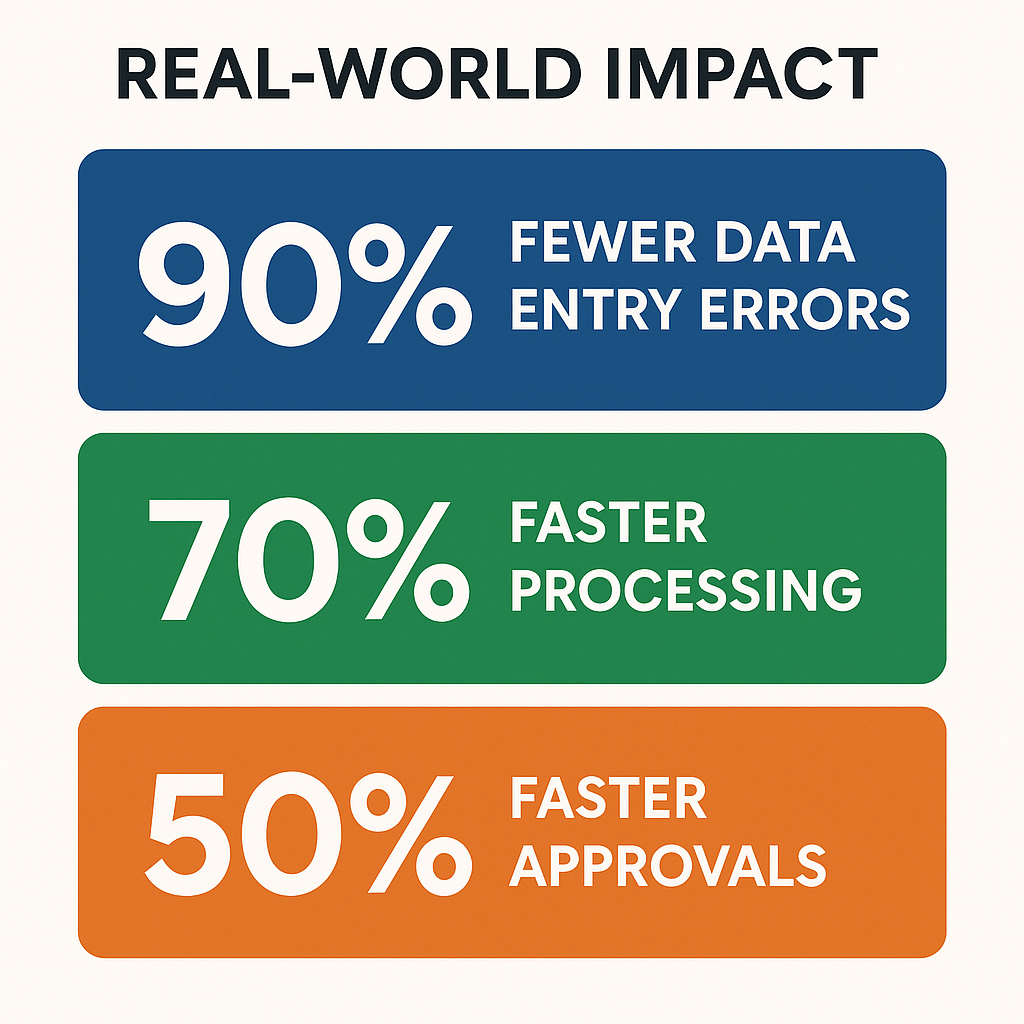
Switching to accounts payable automation with invoice processing software like DocuClipper can yield tangible improvements:
- Eliminate up to 90% of manual data entry errors
- Reduce invoice processing time by up to 70%
- Cut approval cycle times in half
- Minimize compliance issues and audit risk
These gains are not just operational—they directly improve your bottom line.
Put it into practice
Bad line data stalls every approval
Wrong quantities or unit prices create exceptions that clog the queue. Structured extraction gives AP teams and procurement the exact numbers from the PDF, without re-keying.
Time-Saving Tools for Accountants and SMBs
DocuClipper is built with small businesses, bookkeepers, and accountants in mind — it serves as a full accounts payable software for small business teams. Features like bulk upload, vendor rules, and automatic categorization mean fewer repetitive tasks and more time for high-value work.
Additional Benefits:
- Enable paperless accounting and digital transformation
- Easily manage multi-client workflows
- Improve vendor relationships with faster payments
Whether you’re modernizing internal finance processes or offering streamlined services to clients, DocuClipper is your edge.
Get Started Today With DocuClipper
Learn more: Invoice processing software that connects extraction, approvals, matching, and QuickBooks/Xero sync—before you trial or buy.

Ready to say goodbye to slow, error-prone manual processes? DocuClipper helps you streamline invoice workflows, reduce invoice errors, and improve invoice accuracy—all with minimal setup.
Sign up for a free trial and experience the benefits of automated invoice processing firsthand.
Don’t let manual processes hold your business back. Automate, accelerate, and grow with DocuClipper.
Frequently Asked Questions About Manual Invoice Processing
What is manual invoice processing?
Manual invoice processing is the practice of handling supplier or vendor invoices by hand: receiving the document (paper or PDF), visually reading the data, typing it into an accounting system, routing it for approval, and filing it. Each step requires human effort, which introduces delays and data-entry errors.
How much does manual invoice processing cost per invoice?
Industry benchmarks put the cost of processing a single invoice manually at $12–$30, accounting for labor, error correction, and late-payment fees from processing delays. Automated systems reduce this to $2–$5 per invoice, according to IOFM and Aberdeen Group research.
What are the most common errors in manual invoice processing?
The most frequent errors are: duplicate invoice payment (paying the same invoice twice), keying errors in amounts or account codes, misrouted approvals causing payment delays, missing invoices due to poor filing, and incorrect vendor data (wrong bank account, address, or tax ID).
How long does manual invoice processing take?
Manual processing typically takes 10–20 days end-to-end from receipt to payment. Bottlenecks include approval routing, exception handling for mismatched POs, and paper document management. Automated accounts payable cuts this to 3–5 days by parallel-routing approvals and auto-matching to purchase orders.
When should a business switch from manual to automated invoice processing?
The tipping point is generally 100–200 invoices per month. Below that, manual processing is manageable with a single AP staff member. Above that, error rates and processing time increase faster than headcount can scale. Businesses with multiple cost centers, remote approvers, or complex PO matching should automate earlier.
Related Articles
Next step
Close the gap between the PDF and the ERP
Route extracted invoices straight into your approval rules and accounting exports. Built for teams that process vendor bills every week, not one-off conversions.