
API Access: Personal Access Tokens
Generate, scope, and rotate Personal Access Tokens to call the DocuClipper API from scripts, automations, and AI agent integrations.
Last updated
A Personal Access Token (PAT) lets you authenticate to the DocuClipper API from external scripts, automation tools, or AI agents without using your login password. PATs are long-lived, revocable, and tied to your DocuClipper user account.
Tokens look like dcp_AbCdEf12... (a dcp_ prefix followed by a 43-character random string).
Creating a token
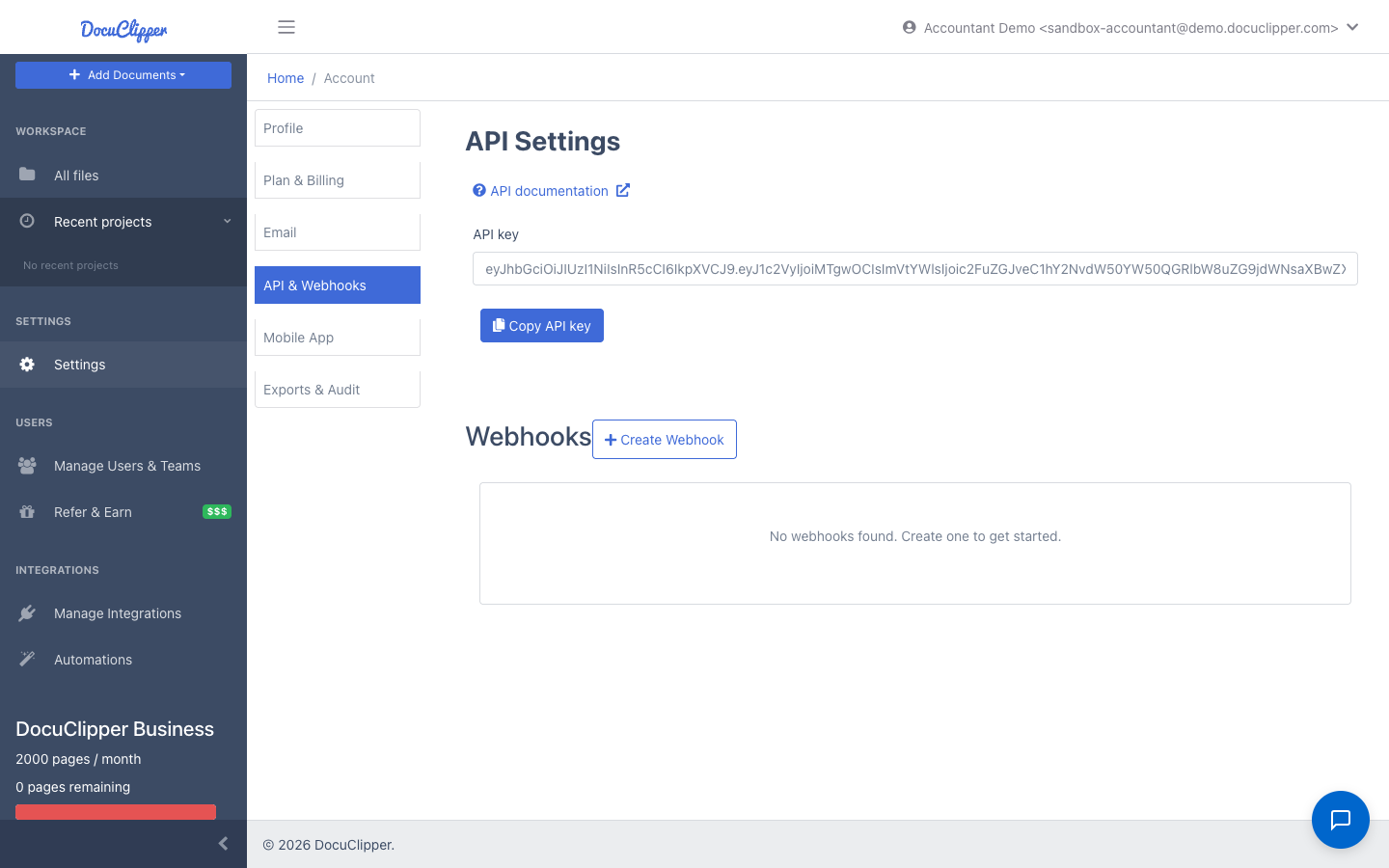
- Click Settings in the left sidebar, or navigate directly to
/account. - Click API & Webhooks in the account section list.
- In the Personal Access Tokens section, click Create token.
- Give the token a name that tells you where it will be used (for example "laptop CLI", "Claude MCP", "Zapier integration"). Optionally set an expiration in days; leave blank for a token that never expires.
- Click Create. The full token is shown once. Copy it now and store it in a secrets manager. DocuClipper only stores a SHA-256 hash, so we cannot show the token again later. If you lose it, revoke it and create a new one.
Listing and revoking tokens
The same page lists every active token on your account, showing its name, prefix (the first 12 characters, for example dcp_AbCdEfGh), creation date, last-used timestamp, and expiration. You will never see the full token again, only the prefix.
To revoke a token, click Revoke next to it. Revocation takes effect immediately. Any client still using that token will start receiving 401 PAT has been revoked and must be reissued a new token.
There is a rate limit of 5 token creations per hour per user. If you hit it, wait an hour or revoke unused tokens first. Token reads and revocations are not rate-limited.
Scopes
PATs accept an optional scopes array at creation time. The token surfaces its scope list back to the caller via GET /api/v1/agent/whoami, which is useful for building UIs that show the token holder what they can do.
Scope-based access control on individual endpoints is not yet enforced. Today, every PAT has full access to every endpoint under /api/v1/agent. Treat the scopes field as a label that may become enforced later. Keep tokens narrowly named and short-lived if you want to be ready for that change.
Using the token
Add the token as a Bearer credential on every request:
Authorization: Bearer dcp_YourTokenHere
The base URL for all API calls is https://www.docuclipper.com/api/v1.
A quick health check:
curl -sS https://www.docuclipper.com/api/v1/agent/whoami \
  -H "Authorization: Bearer dcp_YourTokenHere"
The response includes your user ID, email, plan name, and current agent-API page usage:
{
  "userId": 12345,
  "email": "you@example.com",
  "contractId": 6789,
  "planName": "Plus",
  "authMethod": "pat",
  "scopes": [],
  "agentBilling": { "status": "free", "pagesUsed": 14, "pagesFree": 100, "paymentMethodAttachedAt": null }
}
Worked example: extract a bank statement end to end
The agent API splits document upload into three steps so large PDFs go straight to S3 and never pass through your DocuClipper request.
-
Get a presigned upload URL. The response contains a one-time S3 URL and a
documentIdyou will reference when creating the job.curl -sS -X POST https://www.docuclipper.com/api/v1/agent/documents/upload-url \ -H "Authorization: Bearer dcp_YourTokenHere" \ -H "Content-Type: application/json" \ -d '{"filename":"march-statement.pdf","contentType":"application/pdf"}' -
PUT the file bytes to the presigned URL returned in step 1. No DocuClipper auth header on this one — the URL is pre-signed.
curl -sS -X PUT "$PRESIGNED_URL" \ -H "Content-Type: application/pdf" \ --data-binary @march-statement.pdf -
Create the extraction job. Use
jobType: "ExtractData"for bank statements or"Invoice"for invoices.curl -sS -X POST https://www.docuclipper.com/api/v1/agent/jobs \ -H "Authorization: Bearer dcp_YourTokenHere" \ -H "Content-Type: application/json" \ -d '{"documents":[{"id":"DOC_ID_FROM_STEP_1"}],"jobType":"ExtractData","jobName":"March 2026"}' -
Poll the job until it is done. Status is one of
Queued,InProgress,Done, orError.curl -sS https://www.docuclipper.com/api/v1/agent/jobs/JOB_ID \ -H "Authorization: Bearer dcp_YourTokenHere" -
Fetch the transactions. The default response filters to lines that have a real date, amount, or description, so headers and totals are stripped.
curl -sS https://www.docuclipper.com/api/v1/agent/jobs/JOB_ID/transactions \
  -H "Authorization: Bearer dcp_YourTokenHere"
For invoice jobs, fetch the structured payload from GET /api/v1/agent/jobs/JOB_ID/data instead.
Webhooks
If you would rather not poll, subscribe to job completion at /api/v1/agent/webhooks/.... Webhook subscriptions are managed under the same PAT auth. See Webhooks overview.
For AI agents and MCP clients
DocuClipper exposes an MCP-compatible endpoint under /api/v1/agent/mcp/.... The docuclipper-mcp stdio shim connects Claude Desktop, Cursor, or Continue to your account using the same PAT. Setup steps are at /api-docs/for-ai-agents.
Security best practices
- One token per integration. Name them after where they live so you can revoke a single tool without rotating everything.
- Set an expiration when you create the token, especially for short-lived projects or contractor access. Expired tokens fail closed with
401 PAT has expired. - Rotate periodically. Quarterly is a sensible default. Create the new token, update the consumer, then revoke the old one.
- Never commit tokens to source control. Use environment variables or a secrets manager.
- Treat the prefix as public. The prefix shown in the UI (for example
dcp_AbCdEfGh) is safe to log; the rest of the token is not. - If a token leaks, revoke it immediately on the API & Webhooks page. Revocation is instant.
- Banned or deleted users. If your DocuClipper account is banned or deleted, all tokens stop working at the next request.
Troubleshooting
| Response | Meaning |
|---|---|
401 Missing or invalid PAT. Expected Authorization: Bearer dcp_... | The header was missing or did not start with dcp_. |
401 Invalid PAT | The token does not match any record. Check for trailing whitespace or a typo. |
401 PAT has been revoked | The token was revoked. Create a new one. |
401 PAT has expired | The token's expiresAt has passed. Create a new one. |
429 Too many tokens created recently. Try again in an hour. | You hit the 5-per-hour creation cap. |