
Automations
Automations: Box
Watch a Box folder and convert PDFs into structured data automatically.
Last updated
This guide covers the Box specifics for an automation.
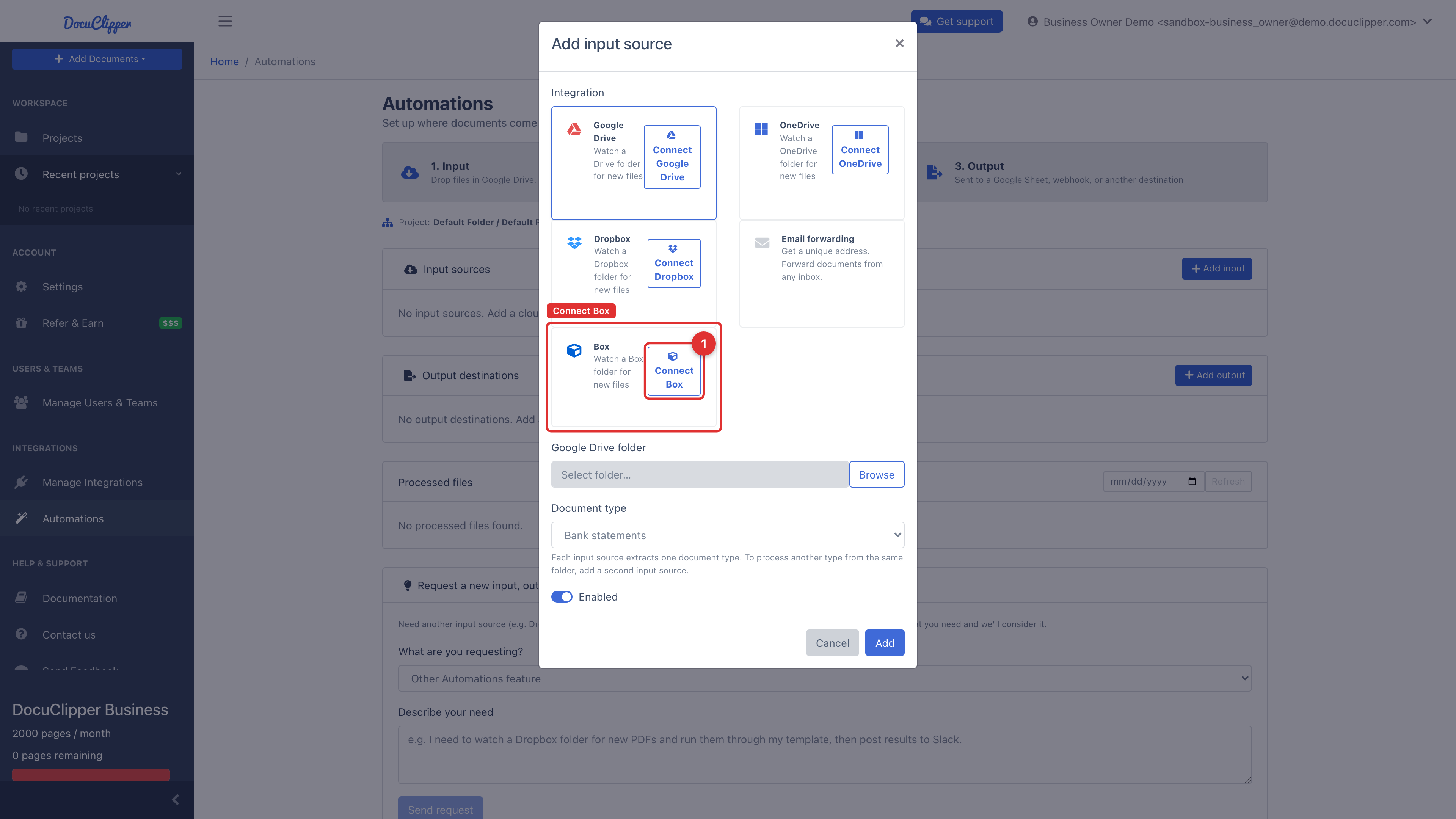
Connect Box
- Open Automations and select the project.
- Under Input sources, click Add input, then choose Box.
- Click Connect Box and authorize DocuClipper in the Box OAuth screen.
- Click Browse to pick the folder to watch, set the document type, and save.
If you close Box's authorization screen or decline it, nothing is connected and DocuClipper tells you so when you return. Click Connect Box again and grant access to finish.
How it works
- DocuClipper registers a webhook on the watched folder for near-real-time pickup, with a scheduled poll as a backstop.
- Files that have already been processed are skipped.
- Optionally add an output to send results to a Box folder, another destination, or a webhook.
Enterprise Box notes
For Box Business / Enterprise tenants, a Box admin may need to pre-approve DocuClipper in the Box Admin Console before individual users can connect. Ask your Box admin to approve the app if the OAuth flow fails with a "Requires admin approval" error.