
Automations
Automations: OneDrive
Watch a OneDrive folder and convert PDFs into structured data automatically.
Last updated
This guide covers the OneDrive specifics for an automation.
Connect OneDrive
- Open Automations and select the project.
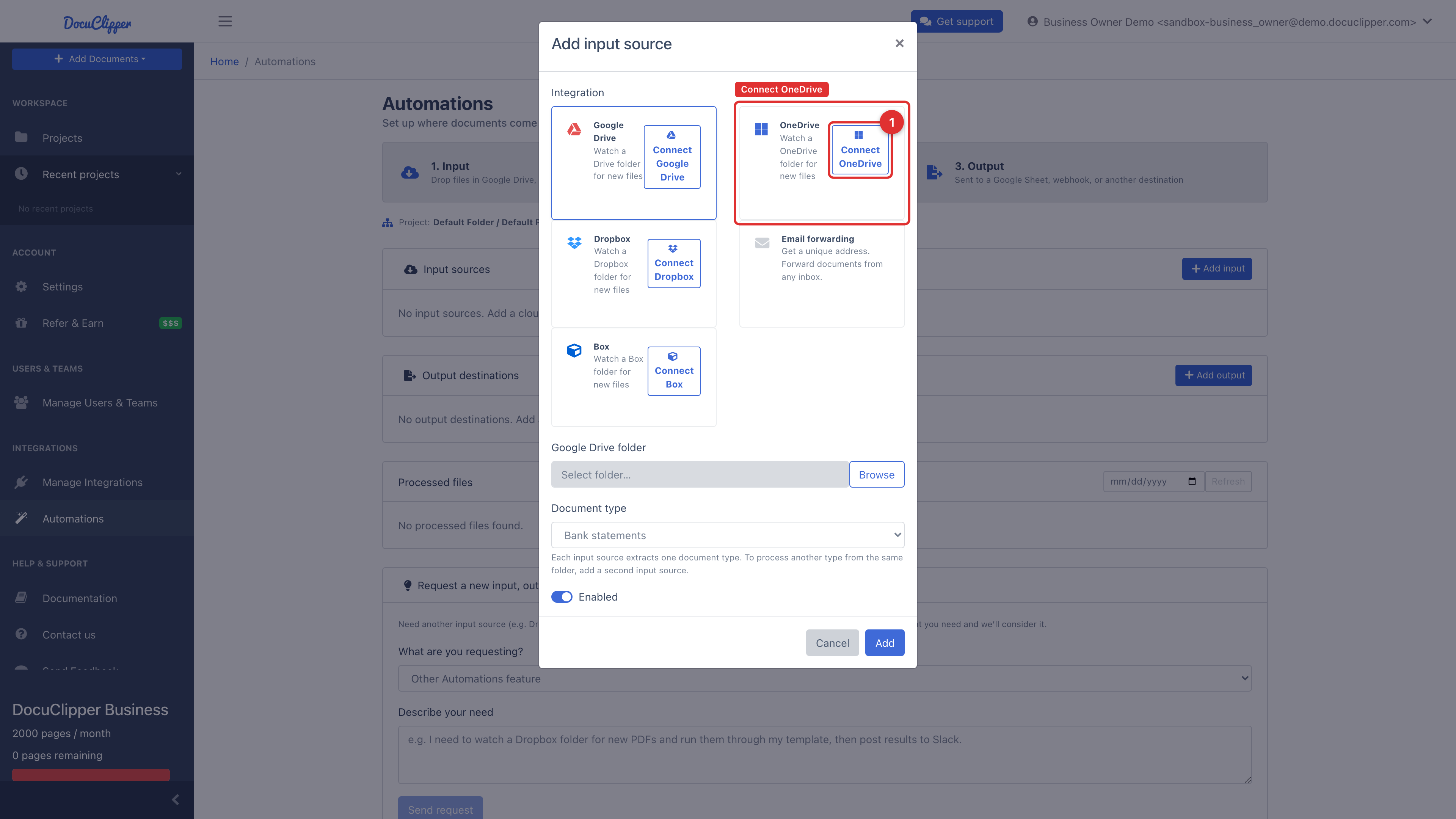
- Under Input sources, click Add input, then choose OneDrive.
- Click Connect OneDrive and sign in with your Microsoft account.
- Click Browse to pick the folder to watch, set the document type, and save.
DocuClipper supports both personal OneDrive and OneDrive for Business (Microsoft 365).
How it works
- The watched folder is polled on a schedule and new files are pulled in. (Unlike Drive, Dropbox, and Box, OneDrive is poll-only — Microsoft Graph does not deliver reliable notifications for new files inside a folder, so pickup happens on the next poll rather than instantly.)
- Already-processed files are skipped.
- Optionally add an output to send results to a OneDrive folder, another destination, or a webhook.
Microsoft 365 admin approval
If your organization requires admin consent for third-party apps, your Microsoft 365 admin will need to approve DocuClipper once. After that, any user in your tenant can connect.