
Other Documents, Overview
DocuClipper handles more than bank statements, here's the full list of supported document types and where to learn more about each.
Last updated
Bank statements get most of the attention, but DocuClipper extracts structured data from a wide range of financial documents. Here's the map.
Where to start any conversion
Every document type starts from the Add Documents button at the top of the left sidebar. Click it and pick the type you're uploading — Bank/CC Statements (PDF), Bank Transactions (CSV), Check Images, Invoices/Receipts & POs, Forms, Brokerage Statements (PDF), or Other Documents.
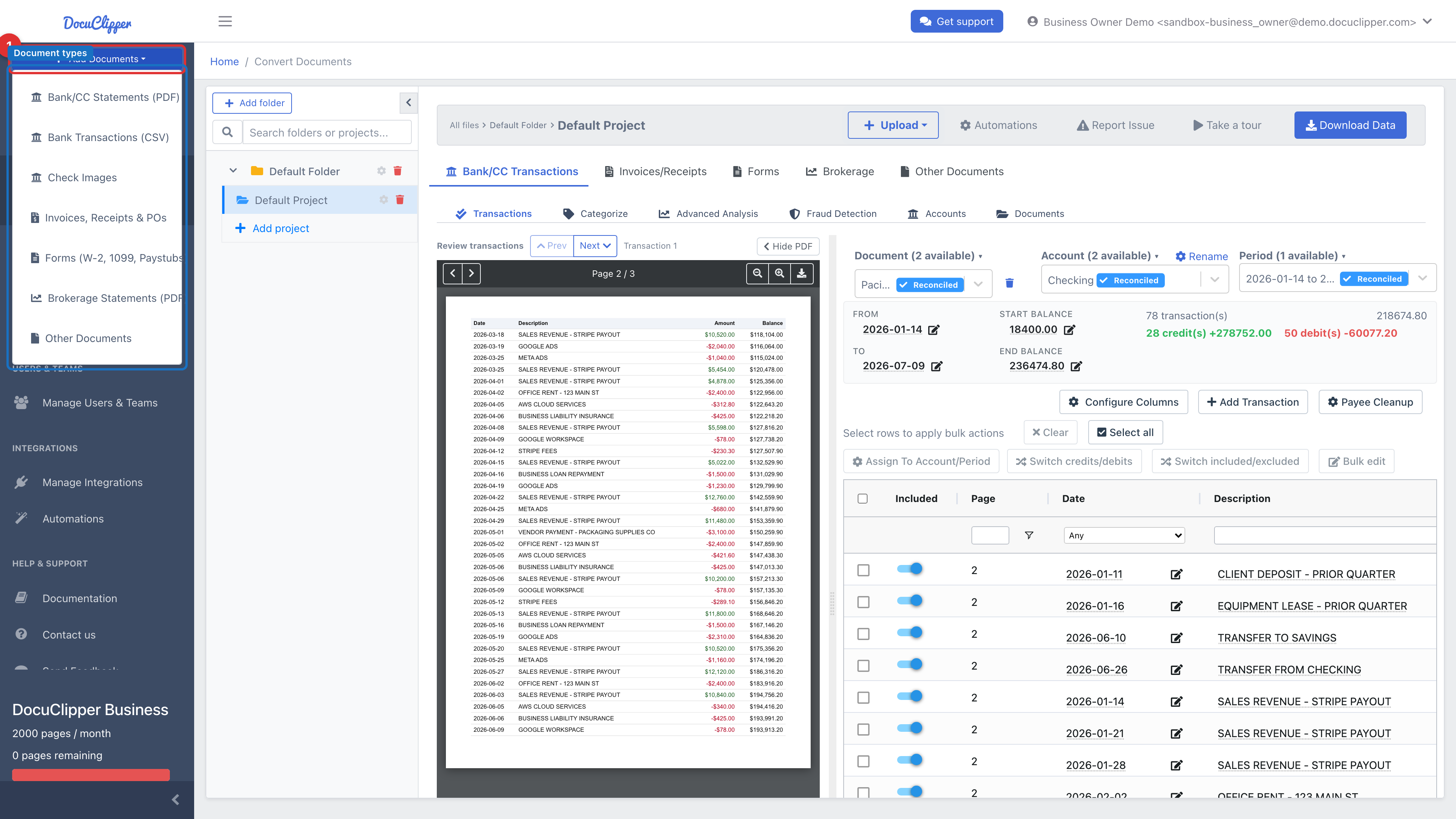
Built-in document types
Each of these has a dedicated converter with pre-built field definitions — no template required.
| Type | What DocuClipper extracts | Guide |
|---|---|---|
| Bank & credit card statements | Date, description, amount, balance per transaction; opening/closing balance; period | Extract data from bank statements |
| Bank transactions CSV | Re-format an existing CSV into QBO, IIF, QIF, Xero CSV, Excel, etc. | Convert Bank Transactions CSV |
| Brokerage statements | Holdings, transactions, account summary from investment account PDFs | Converting Brokerage Statements |
| Invoices, receipts & POs | Supplier, invoice #, date, due date, line items, tax, total | Convert invoices to Excel |
| Checks (check images) | Date, payee, amount, memo, account, check # | Converting Check Images |
| W-2, 1099, paystubs, tax forms | All standard fields on each form | Converting W-2, 1099, Paystubs, Tax Forms |
Custom / non-standard documents
If your document doesn't match any of the built-in types — trust statements, rent rolls, leases, custom forms — choose Other Documents from the Add Documents menu to draw your own fields and save a reusable template.
Not sure which to pick?
- It looks like a bank statement or credit card statement → Bank/CC Statements (PDF). It handles almost every US/CA/UK/AU bank out of the box.
- It's a brokerage or investment account statement → Brokerage Statements (PDF).
- You already have a CSV of transactions → Bank Transactions (CSV) to reformat into QBO, Xero CSV, Excel, etc.
- It's an invoice, bill, receipt, or purchase order → Invoices/Receipts & POs.
- It's a scanned or photographed check → Check Images.
- Something else → Other Documents. You'll get a template you can reuse forever.