
Converting Check Images
Upload scanned checks or PDFs of checks and extract the payee, date, amount, and memo using the same flow as bank statements.
Last updated
Check Images in DocuClipper lets you upload images or PDFs of checks and extract the payee, date, amount, memo, and check number using the same flow as bank statements. Once extracted, you can review, edit, and export the data to Excel, QBO, or any other supported format.
Where to start a Check Images job
You can kick off a check conversion from any of these places:
- Sidebar: Click Add Documents → Check Images. You'll land on the check-images upload screen.
- Inside a project: Open a project from All files, then click Add Documents at the top and select Check Images.
- Tools: From the Tools page, click the Check Images card, then Convert.
Upload and convert
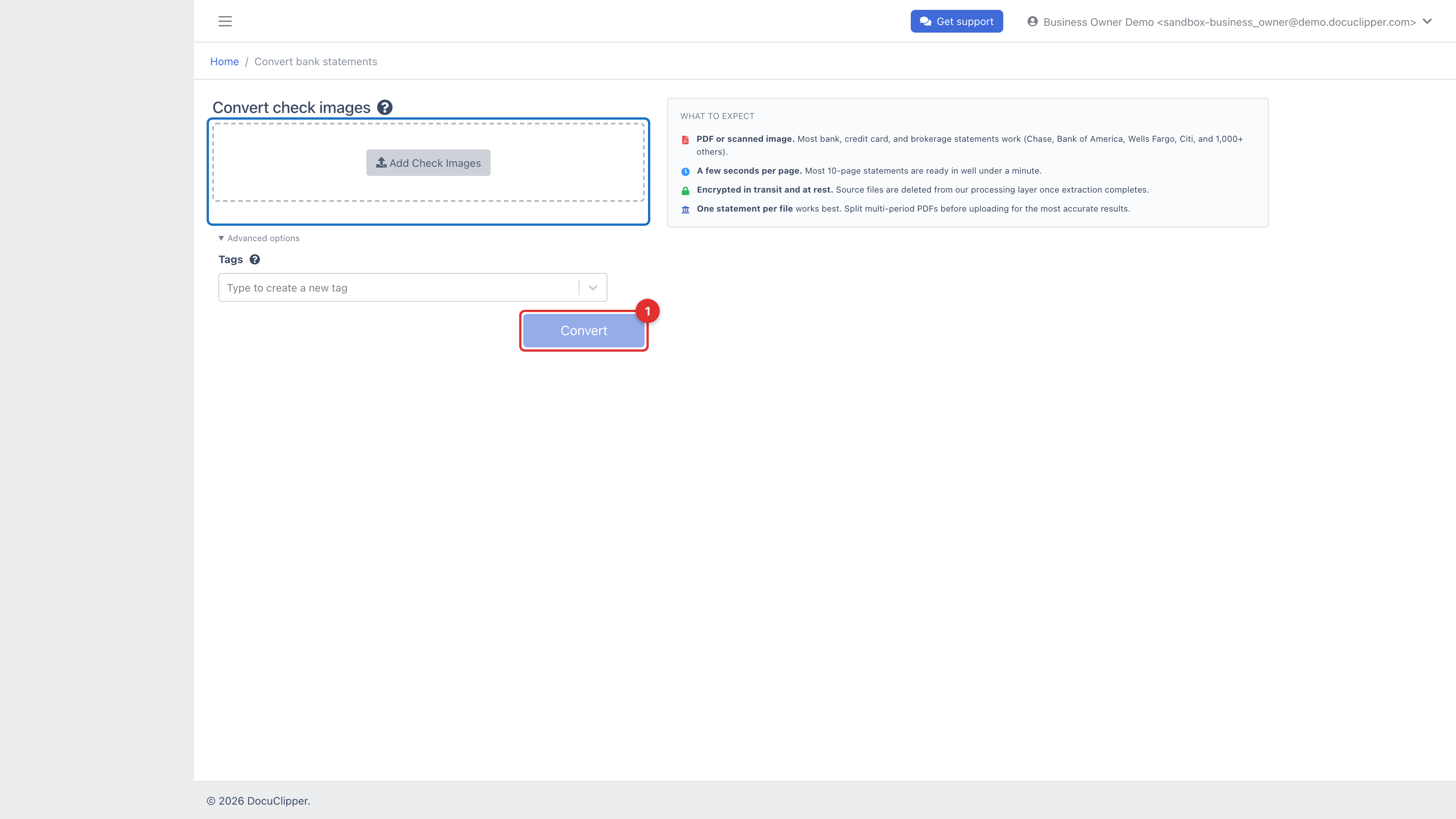
- On the Check Images upload screen, enter a Job name (and a tag if you use them).
- Drag and drop your check images or PDFs, or click to select. You can add more checks to the same job later.
- Click Convert.
For best results:
- Use clear, well-lit scans or photos. The date, amount, and payee need to be readable.
- Individual images (JPG/PNG) and multi-check PDFs both work.
- Crooked or rotated scans are fine; DocuClipper auto-rotates during OCR.
Bank statements uploaded here
DocuClipper looks at every page of a Check Images upload and tells statement pages apart from checks. When most pages of a PDF are bank-statement pages, it's converted as a bank statement: the full transaction list with its opening and closing balances, and the payee and memo from the statement's check images filled in on each Check #N row. That is the same result you get from uploading it under Bank Statements. See Auto-fill payee from check images.
A PDF that is mostly checks is converted as checks, one row per check, even if it includes a statement page or two. If you want only the check list from a full statement, upload just its check-image pages.
After conversion
The review-and-download flow is the same as bank statements:
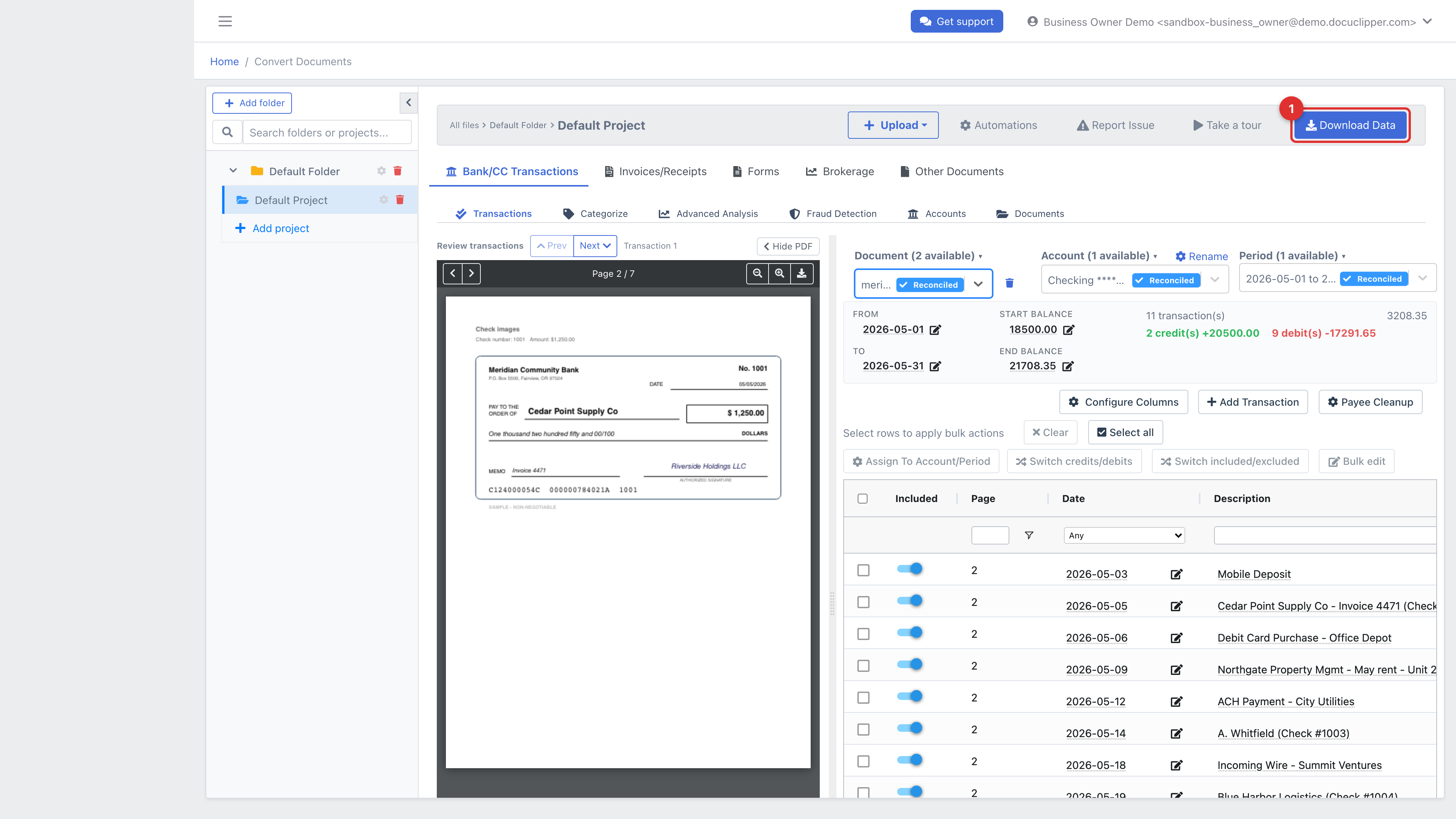
- Review: each check row shows date, payee, amount, memo, and check number. Click the pencil icon to edit any field. If you uploaded checks across multiple accounts, use the Account dropdown to switch between them.
- Download: click Download Data to export to Excel, CSV, QBO, IIF, or any other supported format. See Downloading bank transactions for format-specific details.
Tips
- If you're reconciling against a bank statement that shows check transactions as generic "CHECK #1234" entries, exporting the check-image data side-by-side gives you the payee and memo for each one.
- For reconstructing historical records from a box of paper checks, scan a batch at a time. A flatbed with multiple checks per page works well; DocuClipper handles multi-check pages.
- Check data can be merged with the same project's bank-statement transactions for export as a single reconciled file.