
Switching from the Legacy Jobs Interface
If you are looking for the old jobs-based view in DocuClipper, here is where the equivalent features live in the current project interface.
Last updated
DocuClipper's current interface is project-based: documents are grouped into folders (L1) and projects (L2) rather than displayed as a flat list of jobs. New accounts open directly into this view, and it is the only supported interface going forward. If you have a bookmark, an old support thread, or a tutorial that mentions a "jobs interface," "Job Data Viewer," or "Converted Files" page, the features have not gone away. They moved.
Where common menu items moved
| Old location | Where to find it now |
|---|---|
| Jobs list / Converted Files | Open a project from Projects in the sidebar. Documents and their transactions live inside the project. |
| Settings → Converted Files (download history) | Settings → Exports & Audit → Download CSV, or docuclipper.com/app/dataArchive → Download History. |
| Job Data Viewer (per-job grid) | Open the project, then click the Bank/CC Statements, Invoices, Forms, or Other Documents tab. |
| Re-download an export | Open the project, go to the relevant tab, and use its export option again. Pick the same format. |
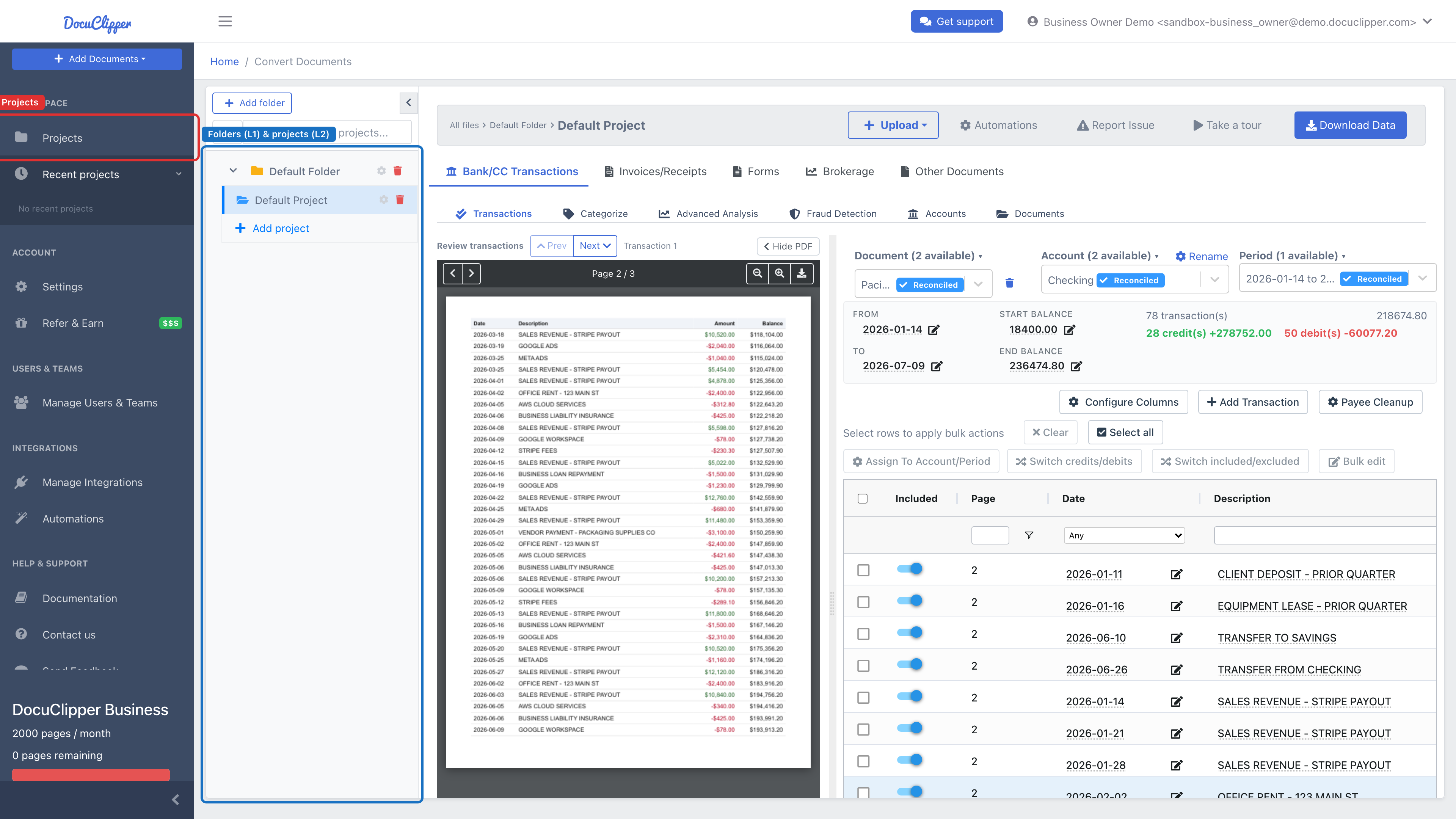
Converted work from before you set up projects appears as unassigned jobs. A blue banner lets you bulk-assign those documents to projects, see DocuClipper's project-based interface.
Where to go next
To get oriented in the project interface, start with DocuClipper's project-based interface. To find a specific past conversion, see Locating converted files or How to access job history. If a job you expected is missing entirely, Jobs are missing covers retention windows, account switching, and project filters.