
How to Create a DocuClipper Account
Create your DocuClipper account, verify your email, and configure the profile settings that matter most for accurate extractions.
Last updated
Creating a DocuClipper account takes about a minute. This guide also covers the one profile setting worth configuring up front, date format, because it controls how transaction dates are shown and exported.
Creating the account
- Go to docuclipper.com and click Start Free Trial.
- Enter your email and choose a password (at least 8 characters). Or click Continue with Google or Continue with Microsoft to sign up with SSO.
- Check your inbox for a verification email and click the link.
- Log in. You'll land in your workspace, ready to create a project and upload your first statement.
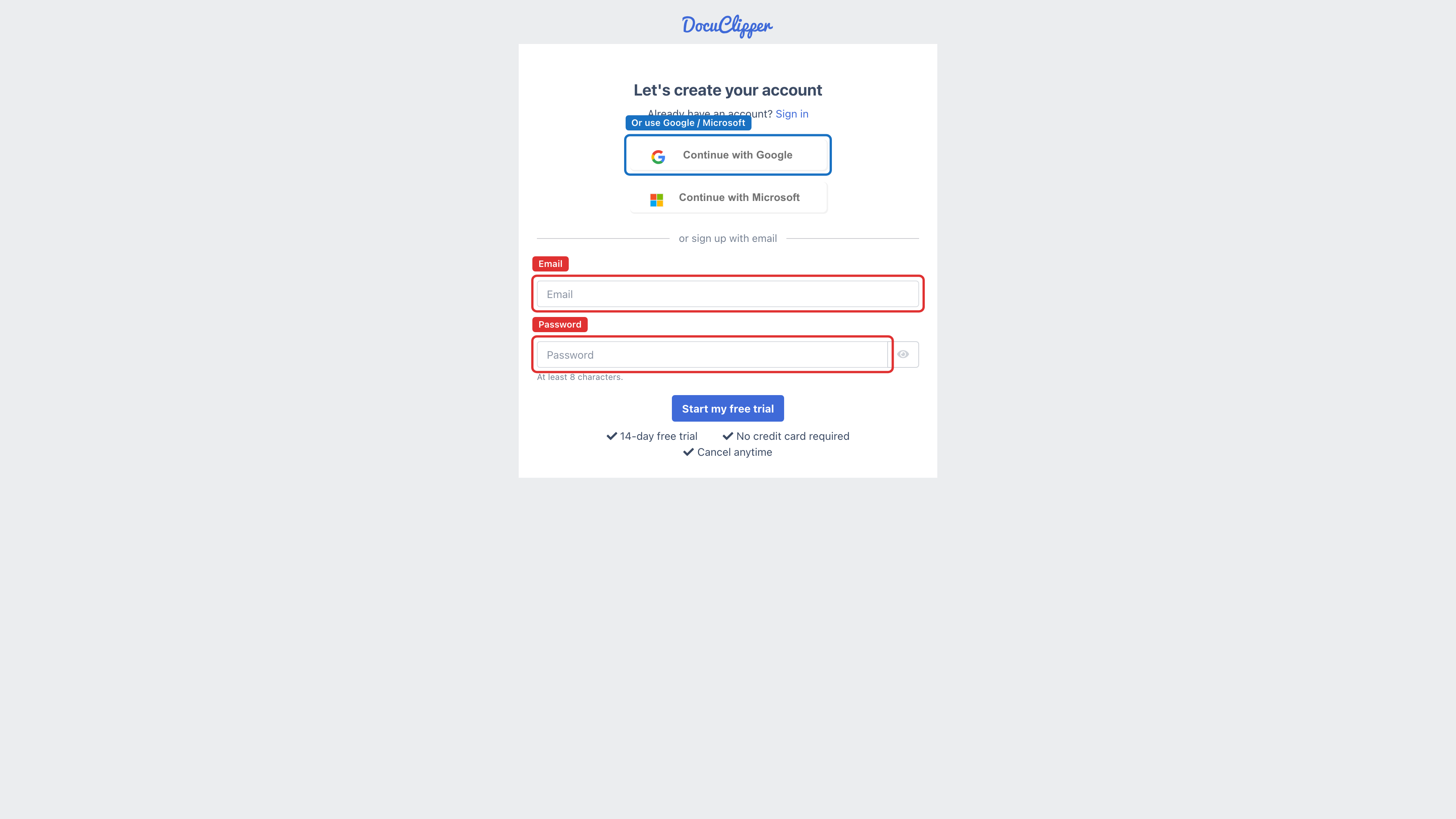
No credit card is required. The free trial runs for 14 days and lets you convert a limited number of pages before you pick a plan.
Configuring your profile
A couple of profile settings are worth setting before you convert your first statement.
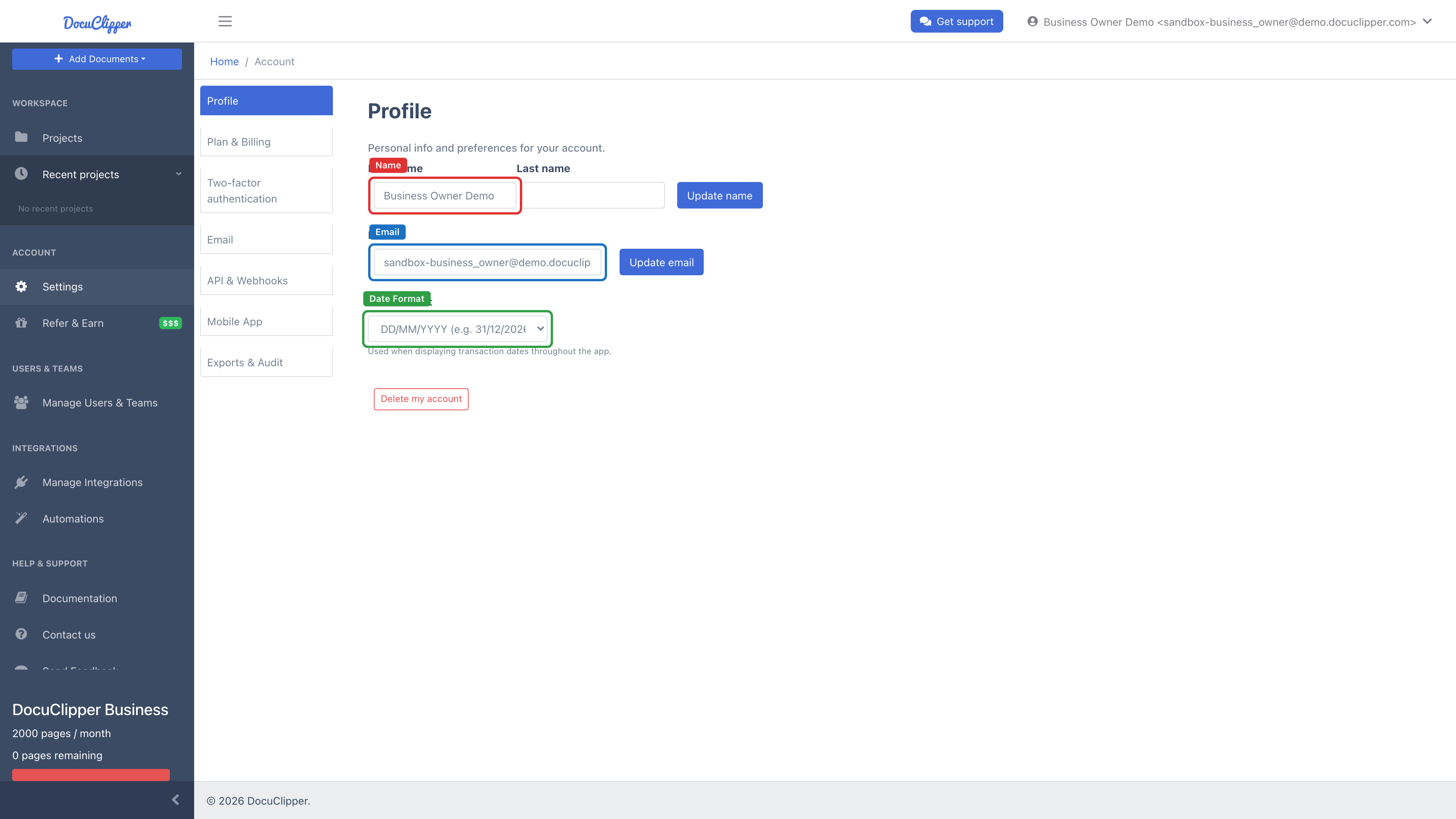
- Click your profile icon in the top-right of the dashboard → Settings.
- Open the Profile section from the left menu.
Date format
DocuClipper uses your Date Format setting to control how transaction dates are displayed and exported throughout the app. Pick the format your team reads most easily:
- MM/DD/YYYY: dates render as
12/31/2026. This is the US default. - DD/MM/YYYY: dates render as
31/12/2026. This is the UK / EU / AU default.
The setting saves automatically and you can change it any time.
Name and email
- Name: your first and last name; shows on subscription invoices and in emails from DocuClipper. Safe to change any time.
- Email: you can update your login email yourself from the Profile section, see How to change personal information and email.
What's next
- Extract Data from Bank Statements: your first conversion, end to end.
- Convert Invoices and Receipts to Excel: if you're starting with invoices instead.
- Other Documents, Overview: the full list of supported document types.
If you hit any errors during signup, see Account creation errors in DocuClipper or email support@docuclipper.com.