Credits & Overages
How page credits work, what happens when you run over your monthly allowance, and how overage protection and purchased pages interact.
Last updated
DocuClipper usage is metered in pages. Every plan includes a monthly page allowance. This article explains what counts as a page, what happens when you run out, and how overages and purchased pages work together.
What counts as a page
- One PDF page = one page, regardless of how many transactions or fields are on it.
- Re-running a conversion on the same document counts its pages again.
- Failed conversions are not charged.
- Financial analysis such as Cashflow Analysis does not consume pages; it's free once a document is converted.
Checking your balance
Go to Settings → Plan & Billing and look at the Page balance card. It shows:
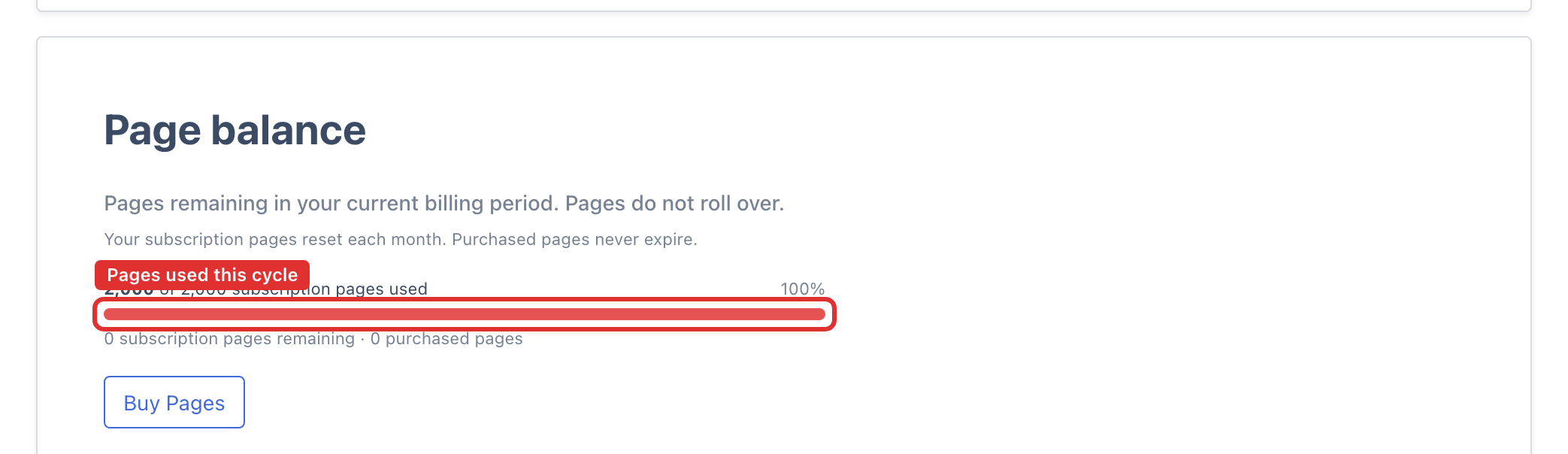
- Subscription pages used and remaining this cycle. On a monthly plan this is your monthly allowance; on an annual plan it is the full year's pages, granted up front (for example, 1,440 pages on Starter Annual). Either way it resets on your renewal date and does not roll over.
- Purchased pages - one-off pages you bought separately. These never expire and are used only after your subscription pages are gone.
Running out: overage protection
When your subscription pages are used up, what happens depends on the Overage protection card in Plan & Billing:
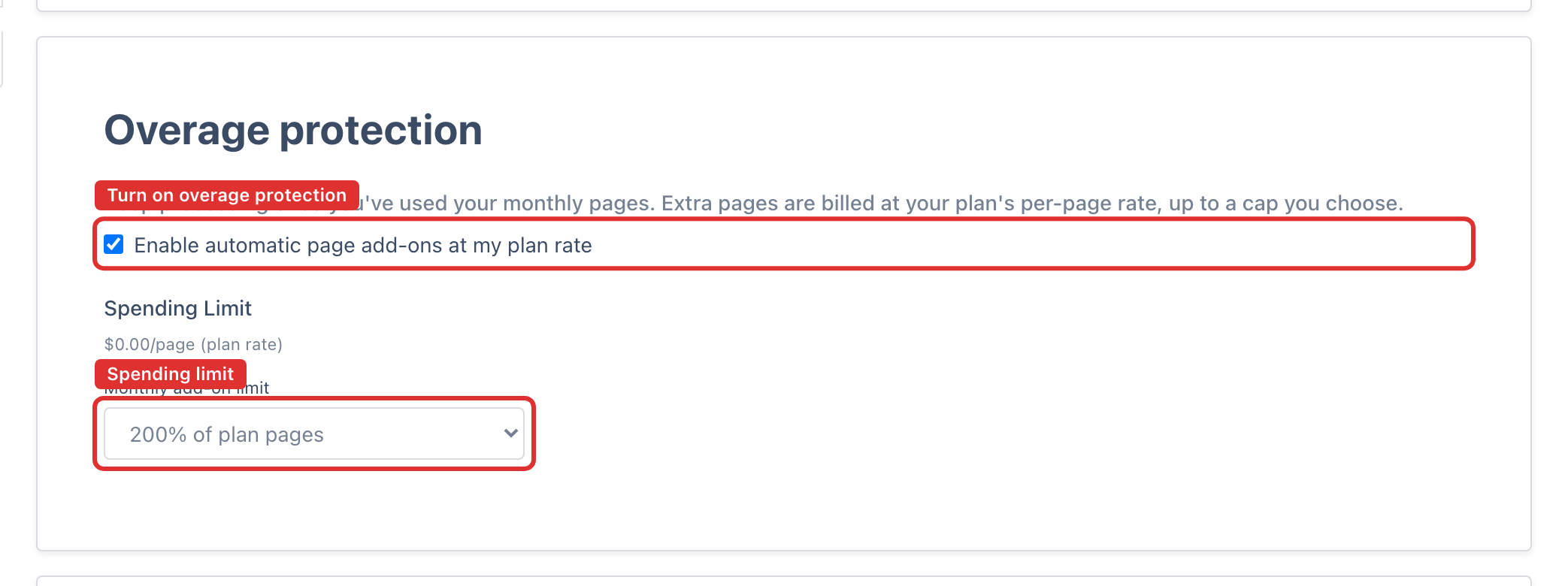
- On (default for paying accounts): DocuClipper keeps processing and automatically adds pages at your plan's per-page rate (your plan price divided by its included pages), up to the spending limit you set. Your card is charged for the extra pages once they add up to half your monthly plan price or $100 (whichever is lower), or 30 days after your last payment, whichever comes first. Anything smaller is added to your next renewal, or to an upgrade if you upgrade first.
- Off: a job that needs more pages than you have left is held until you add pages (buy a page pack, upgrade, or wait for your plan to renew) and resume it. See Jobs that run out of pages.
Overage protection only applies when you have a valid card on file and an active paid plan - it does not run during a free trial or when no card is saved.
To manage it, open the Overage protection card and use Enable automatic page add-ons at my plan rate. When enabled, set a spending limit: 200% of your plan pages (the default), 300%, Unlimited, or a custom monthly cap in your billing currency.
When a job pauses for pages
If a conversion needs more pages than you have left, the job pauses, the job's owner gets one email with the pages it needs, and the job's results page explains why and what will get it moving again:
- Overages are off. Pick a spending limit and click Enable & continue, or upgrade to a larger plan from the same screen. You can also buy a page pack from Plan & Billing and resume the job.
- Overages are on, but this job is bigger than your limit. The page shows your current limit (for example On (200% of plan)). Choose a higher limit and click Raise limit & continue. The button stays disabled until you actually change the limit, because resuming at the same limit would stop at the same point. Upgrading also works and lowers your per-page rate.
- Your card could not be charged. DocuClipper pauses rather than process pages it cannot bill. Click Update payment method. If the new card pays your outstanding invoice, the job starts automatically once your pages are added; otherwise come back to the job and click Resume processing.
An upgrade or page pack bought from this screen starts the job automatically as soon as its pages are added, even if you don't come back to the page. See Jobs that run out of pages.
The limit selector on this page always starts at the limit you already have. Changing it here updates the same setting as the Overage protection card in Plan & Billing.
Buying extra pages
Click Buy Pages on the Page balance card to buy a one-off page pack. Purchased pages:
- Never expire.
- Are used only after your monthly subscription pages are gone.
- Cost less per page in larger packs.
- Come with an invoice in your billing portal. See How To Find Your DocuClipper Invoices.
See Exceeding page limit and adding more pages for the full walkthrough.
Pay as you go: purchased pages without a plan
You can use DocuClipper with purchased pages alone, with no monthly plan. If you buy a page pack with the card on file during a free trial, the trial ends and your account switches to pay as you go: the purchased pages are yours, and the remaining trial pages are not kept.
With no plan and purchased pages left:
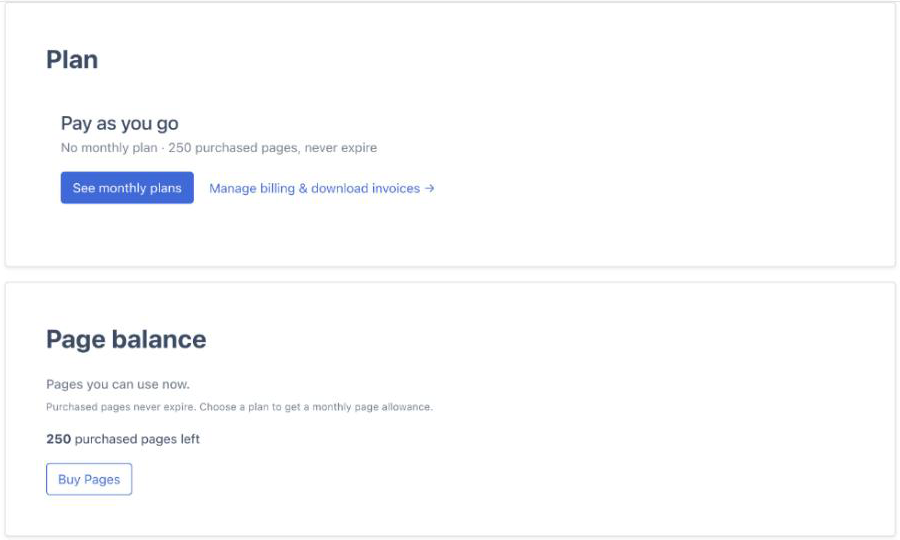
- The top bar shows how many purchased pages you have left, with a See monthly plans button.
- In Settings → Plan & Billing, the plan card reads Pay as you go with your purchased pages, and the Page balance card shows the same number.
- Your documents, extracted data and exports stay available, and new uploads use your purchased pages. Files are kept for 30 days from upload, as on any account without a paid plan.
- There is no Overage protection card, since overages are billed only on an active paid plan. When the pages run out, buy another pack or choose a plan.