
Referral Program
Earn 20% commission on the first-year subscription of anyone you refer to DocuClipper.
Last updated
DocuClipper's affiliate program pays you 20% commission on the first-year subscription value of every paying customer you refer. There's no cap on referrals or earnings, and payouts are processed monthly. Referrals are tracked and paid through our affiliate partner, FirstPromoter.
Where to find it
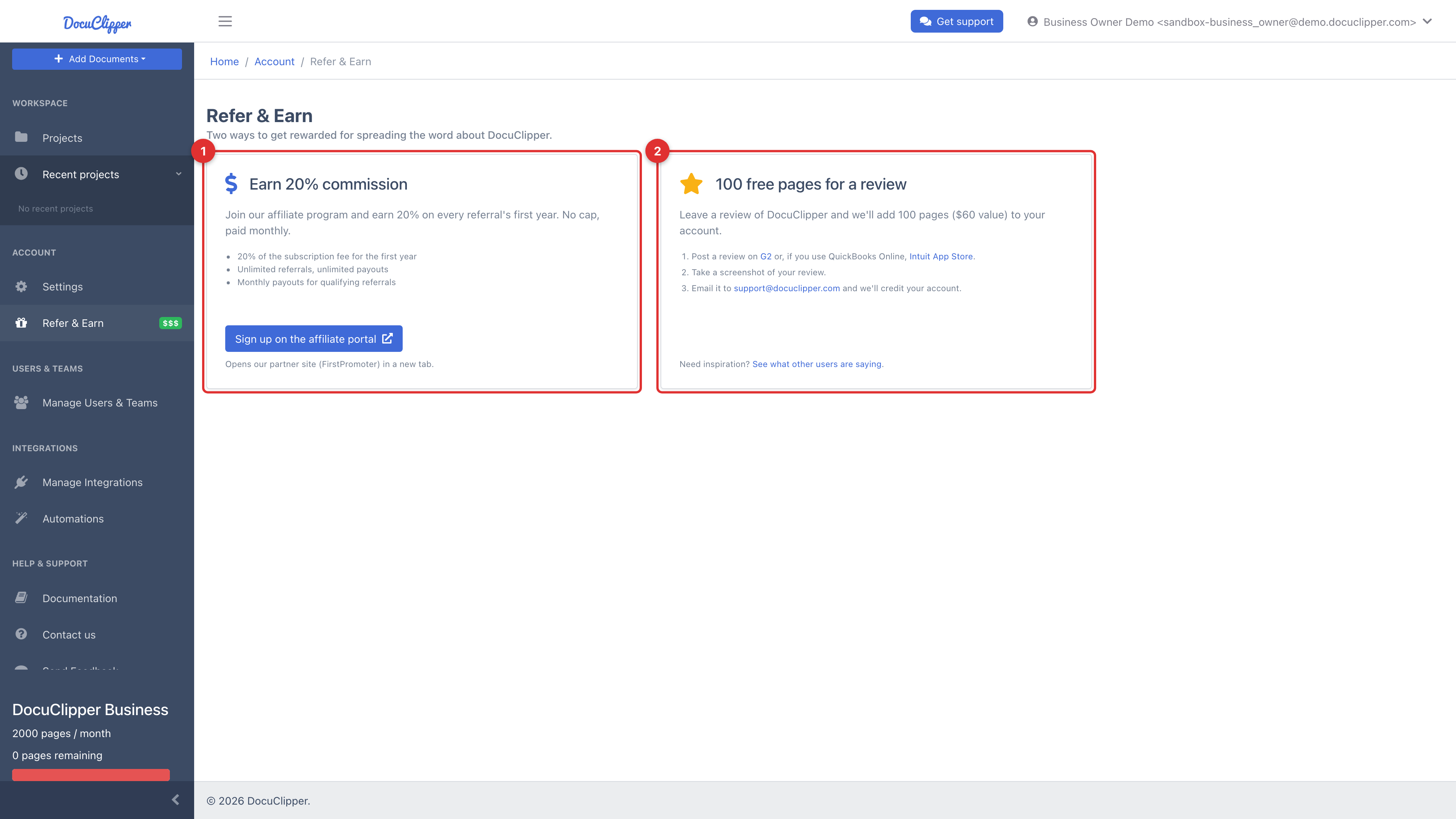
In the app, open Account → Refer & Earn (/account/refer). The Refer & Earn page shows two ways to get rewarded.
Joining the affiliate program
- Open Account → Refer & Earn.
- In the Earn 20% commission card, click Sign up on the affiliate portal. This opens our partner site (FirstPromoter) in a new tab.
- Create your affiliate account on FirstPromoter, then copy your unique referral link from the FirstPromoter dashboard.
Anyone who signs up for DocuClipper through your link is attributed to you automatically.
How payouts work
- You earn 20% of the subscription fee for each referred customer's first year (12 months).
- Unlimited referrals and unlimited payouts, no cap.
- Payouts are processed monthly once your balance reaches the minimum threshold shown in the FirstPromoter dashboard.
- Payment is made via PayPal.
Commissions, tracking, and payouts are all managed on the FirstPromoter portal, not inside DocuClipper.
Earn free pages for a review
The Refer & Earn page also offers a second, simpler reward. Leave a review of DocuClipper and we'll add 100 pages ($60 value) to your account:
- Post a review on G2, or on the Intuit App Store if you use QuickBooks Online.
- Take a screenshot of your review.
- Email it to support@docuclipper.com and we'll credit your account.
What to share
Good places to share your affiliate link:
- A blog post reviewing DocuClipper for your audience.
- A newsletter segment for accountants, bookkeepers, or lenders.
- Social posts showing a before/after workflow.
- Directly with clients who currently key in data by hand.
Tracking performance
The FirstPromoter dashboard shows clicks, sign-ups, paid conversions, and pending commission in real time. Add your own UTM tags to your link if you want to compare channels.