
When a Subscription Payment Fails
What happens in DocuClipper when your subscription payment doesn't go through, how to update your card, and when your waiting documents are processed.
When your subscription payment doesn't go through (for example, your card expired or was declined), DocuClipper keeps everything you have already converted available, and pauses new conversions until the payment goes through.
What still works
- Your existing results. Every job you already converted stays open: view transactions, edit them, download them, and sync them to QuickBooks or Xero as usual.
- Your account and settings. Projects, rules, integrations and team members are unchanged.
What is paused
New documents are not converted until the payment goes through. This applies however the documents arrive: uploaded in the app, forwarded by email, synced from a cloud folder, or sent through the API or an AI agent.
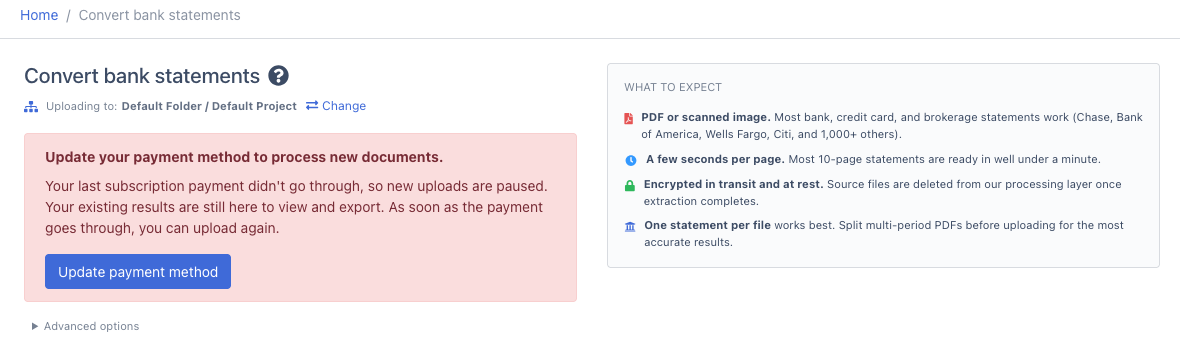
- In the app, the upload area is replaced by a prompt to update your payment method.
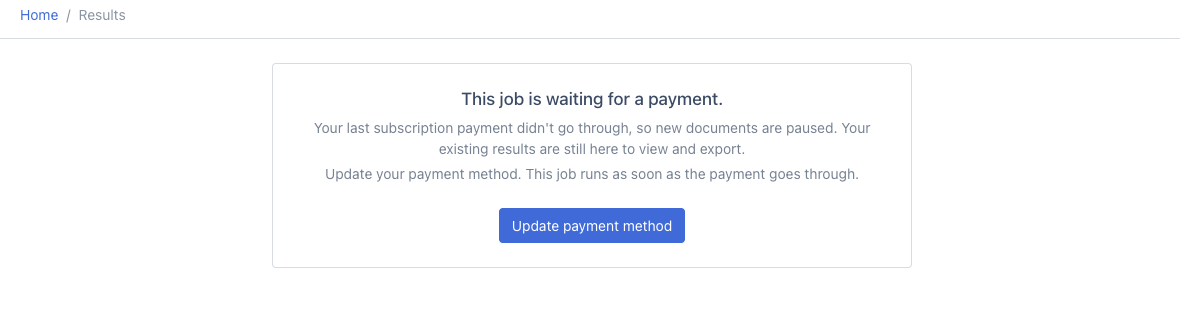
- Documents that arrive another way (email, cloud folders, the API) are saved and wait. They are marked Waiting for a payment, and they are processed automatically once the payment goes through. You don't need to upload them again.
- No pages are used by a waiting document until it is processed.
How to update your card
- Click Update payment method in the red banner at the top of the app, on the upload page, or on a waiting job.
- In the secure billing page that opens, add your new card. If the failed payment is shown, click Pay failed amount.
- Come back to DocuClipper. As soon as the payment goes through, you can upload again, and every waiting document starts processing on its own, usually within a few seconds.
You can also open the billing page from Settings → Plan & Billing → Manage billing & download invoices.
Waiting documents in a project
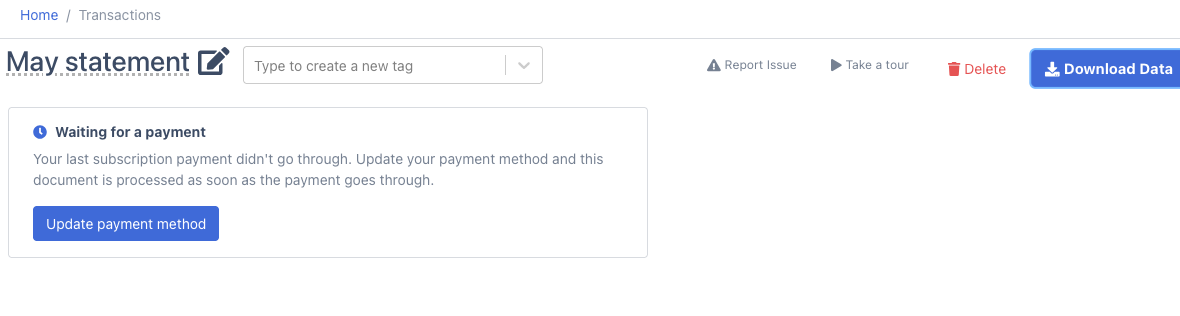
In a project, a document that arrived while the payment was due shows Waiting for a payment in place of its transactions, with an Update payment method button. Downloading it, syncing it, or reading it through the API says the same thing until it is processed.
Team accounts
Team members use the account admin's subscription. When its payment doesn't go through, team members see Waiting for a payment on new documents and are asked to have the account admin update the payment method. Once the admin's payment goes through, the team's waiting documents are processed automatically.
Accounts billed by invoice
If your plan is paid by invoice (bank transfer or check) rather than by card, a late invoice does not pause your conversions.
FAQ
Will my documents be processed if I pay later?
Yes. Documents that arrived while the payment was due are processed automatically once the payment goes through, as long as it goes through within 60 days. For anything older, open the job and click Resume processing.
Do I lose my converted data?
No. Everything you converted stays available to view and export while the payment is due.
Why can't I upload even though I have pages left?
New conversions use your plan, so they are paused until the subscription payment goes through, whatever your page balance. One-off pages you bought stay on your account, and your plan's pages for the new billing period are added when the payment goes through.